


Introduction
Introduction
With the increasing demand for streaming-related products, Corsair has capitalized on this trend, particularly after acquiring Elgato, by bringing innovative solutions to the forefront. However, not everyone desires a bulky stream deck taking up space on their desk. Consequently, the Corsair iCUE NEXUS Companion Touch Screen we’re reviewing is not a dedicated stream deck. Nevertheless, it offers similar functionality and many additional features to keep iCUE users satisfied.
Furthermore, this device allows users to access iCUE software features without interrupting their tasks or waiting for the software to load. Specifically, with just a touch on the back edge of a compatible Corsair keyboard, you can seamlessly control any connected iCUE device. Moreover, Corsair’s touchscreen is fully customizable, which enables macro programming, G-key usage for keyboards lacking dedicated keys, and more. In essence, it’s akin to the Logitech G19 but without its limitations; thus, your creativity becomes the only boundary.
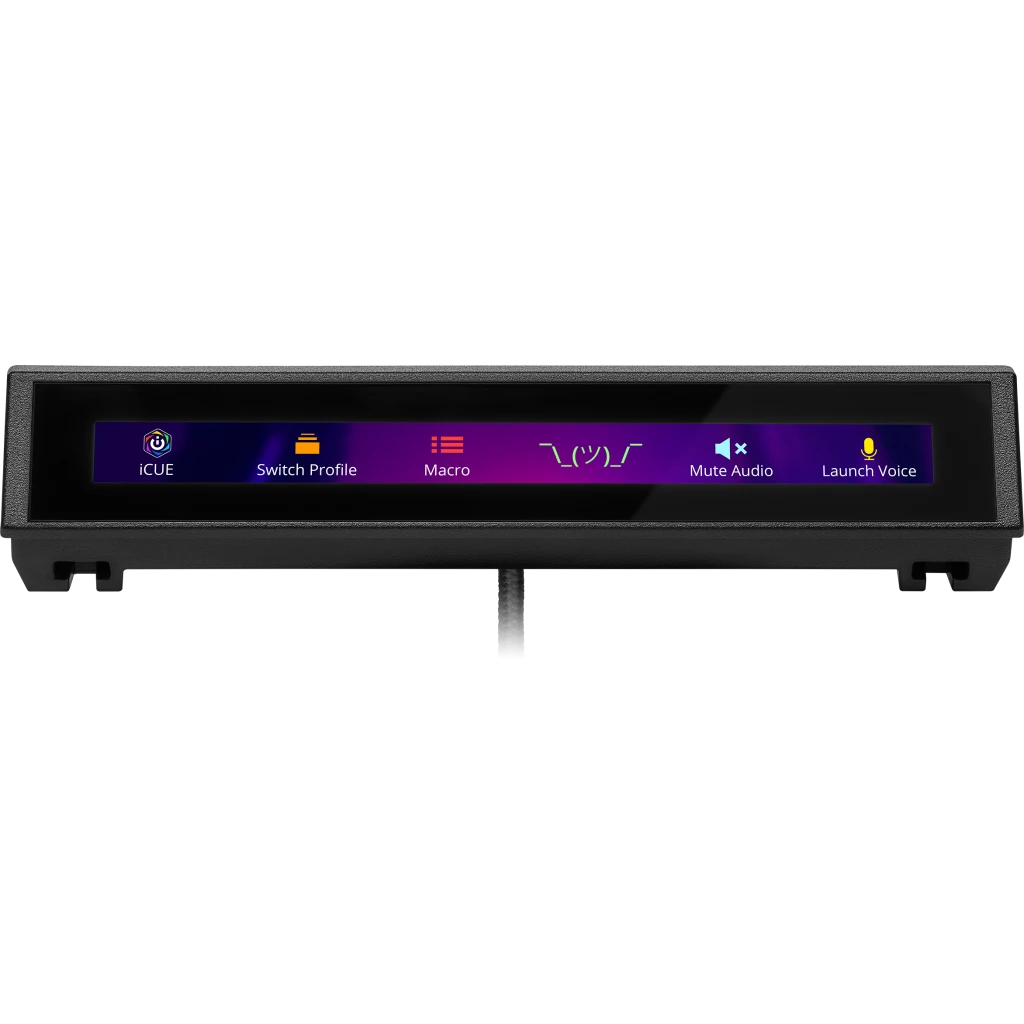
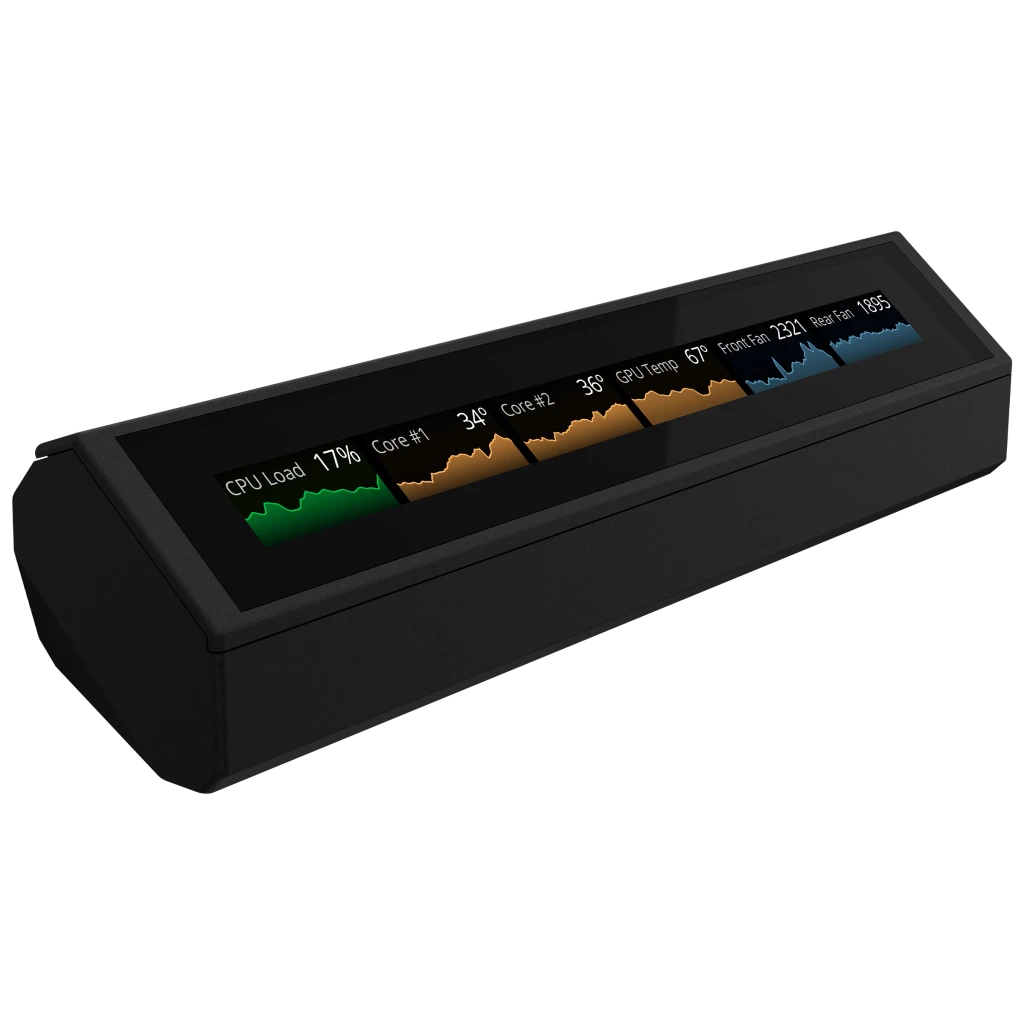


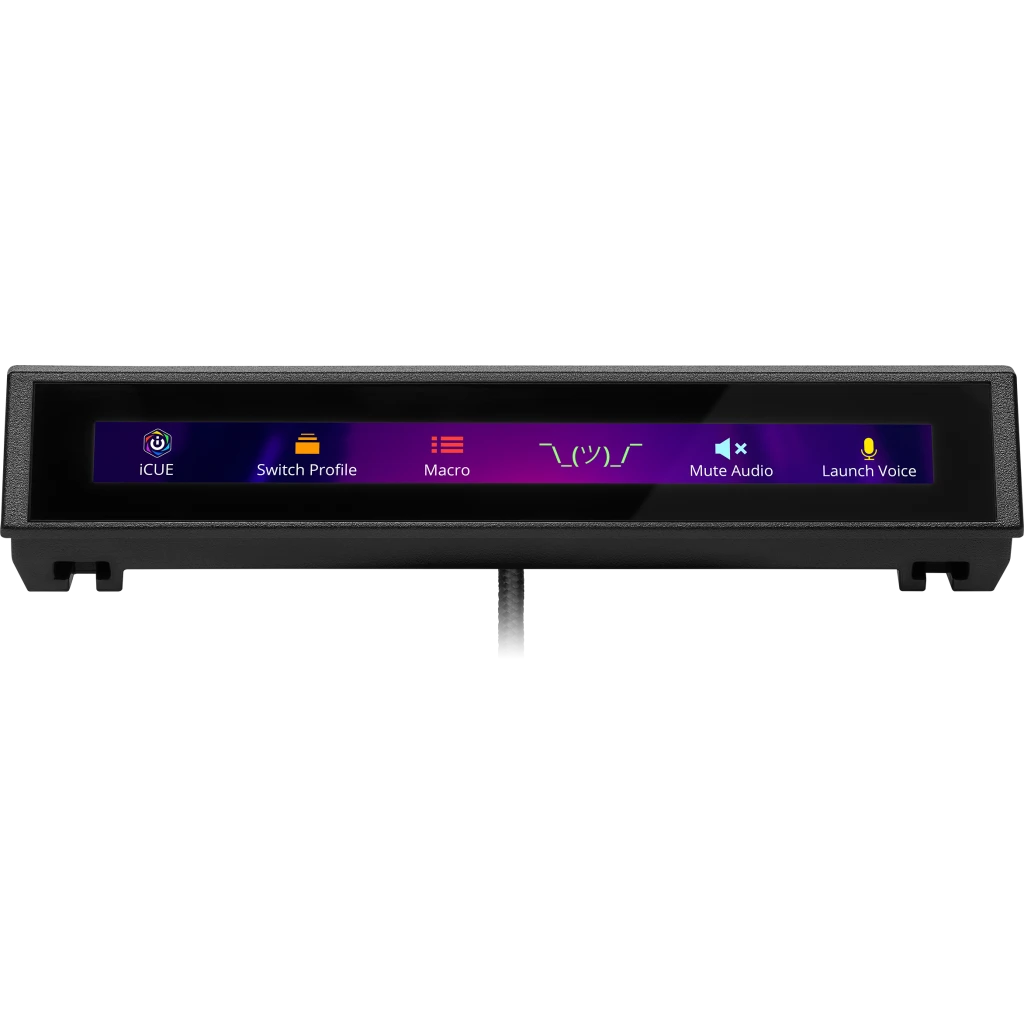
Even if you aren’t already in the iCUE ecosystem or don’t own a compatible Corsair keyboard, the iCUE Nexus Companion Touch Screen remains a worthwhile investment. Additionally, it comes with an optional standalone base, which allows it to function independently. By connecting it via a USB 2.0 port, you gain access to a five-inch diagonal LCD screen that offers various customizable options. Consequently, you can effortlessly switch between different screens and control your PC seamlessly. Furthermore, this setup ensures that the device occupies minimal desk space, thereby enhancing your workspace efficiency.
| Specification | Details |
|---|---|
| Screen Size | 5″ Diagonal |
| Resolution | 640×48 pixels |
| Aspect Ratio | 40:3 |
| Frame Rate | 24 FPS |
| Screen Color | RGB, 262K colors |
| Backlighting | Yes, adjustable |
| Touch Screen | Yes, single-point capacitive |
| Programmable Buttons | Up to 6 virtual buttons |
| Chassis | Plastic |
| Color | Black |
| Connectivity | USB 2.0 Type-A |
| Onboard Memory | No |
| Plug-and-Play | No, requires iCUE software |
| OS Compatibility | Windows 10 |
| iCUE Software | Supported, requires Windows 10 |
| Cable | 1.82 m / 6 ft, braided on standalone base |
| Dimensions (w/o base) | 154 x 35 x 16 mm / 6.07 x 1.38 x 0.63 inches |
| Weight (w/o base) | 60 g / 0.14 lbs |
| Warranty | 2 years |

Packaging and Accessories
Packaging and Accessories
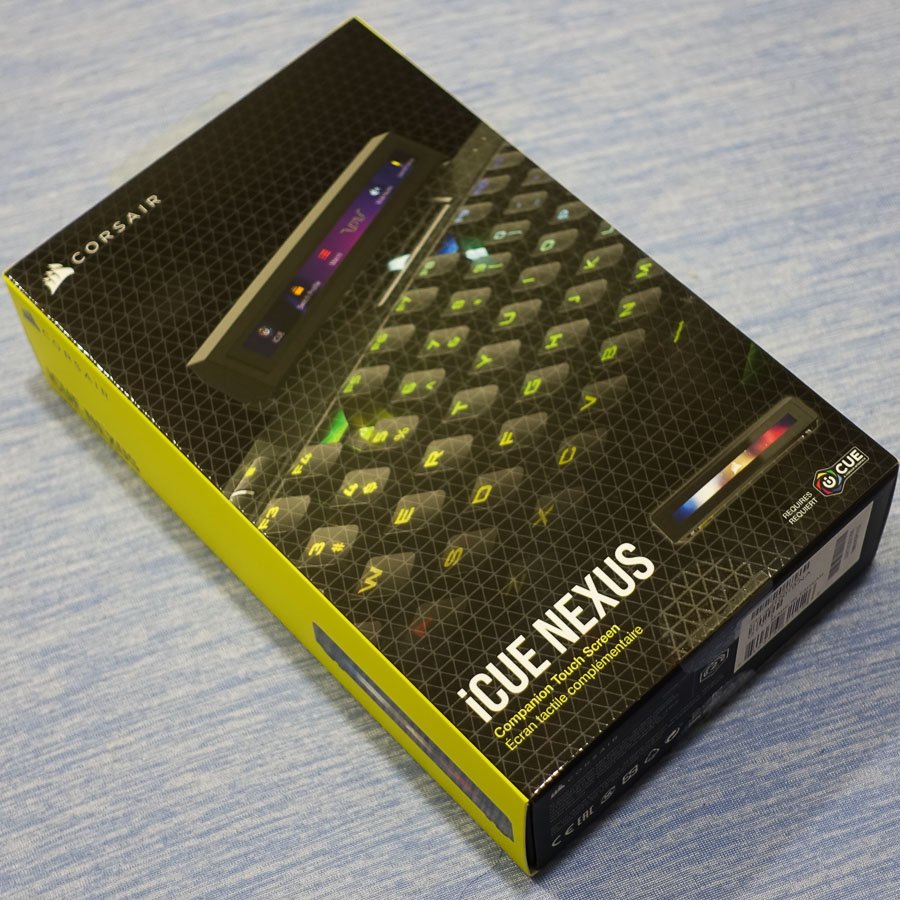
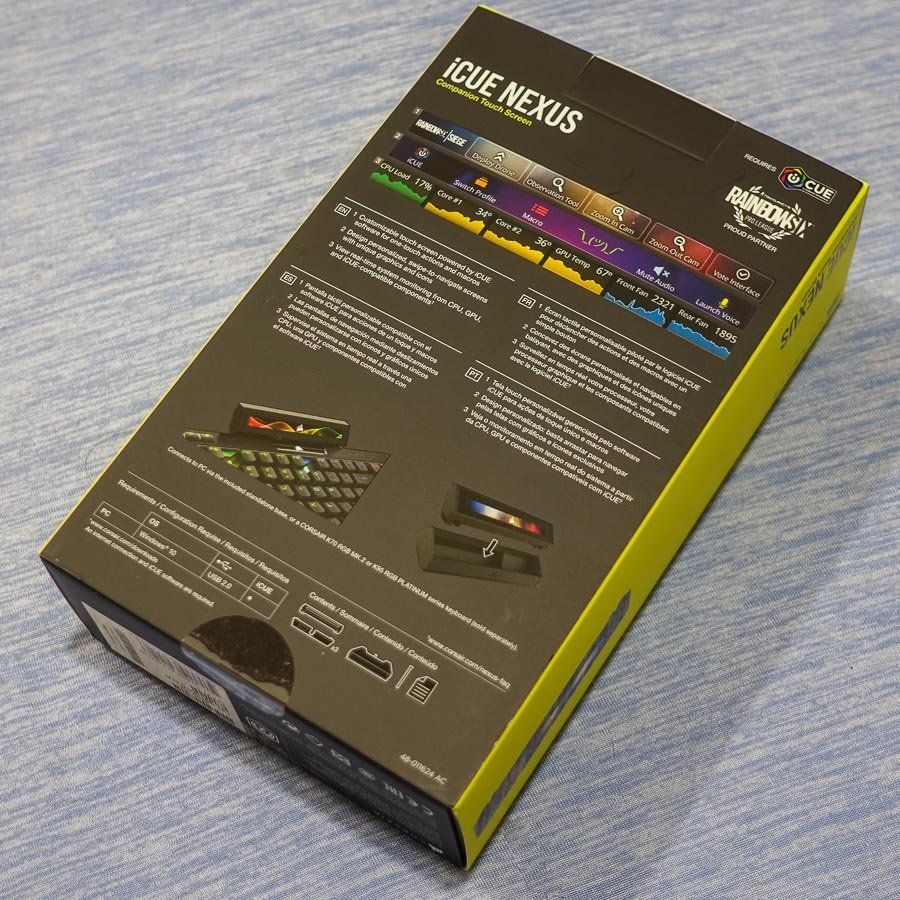
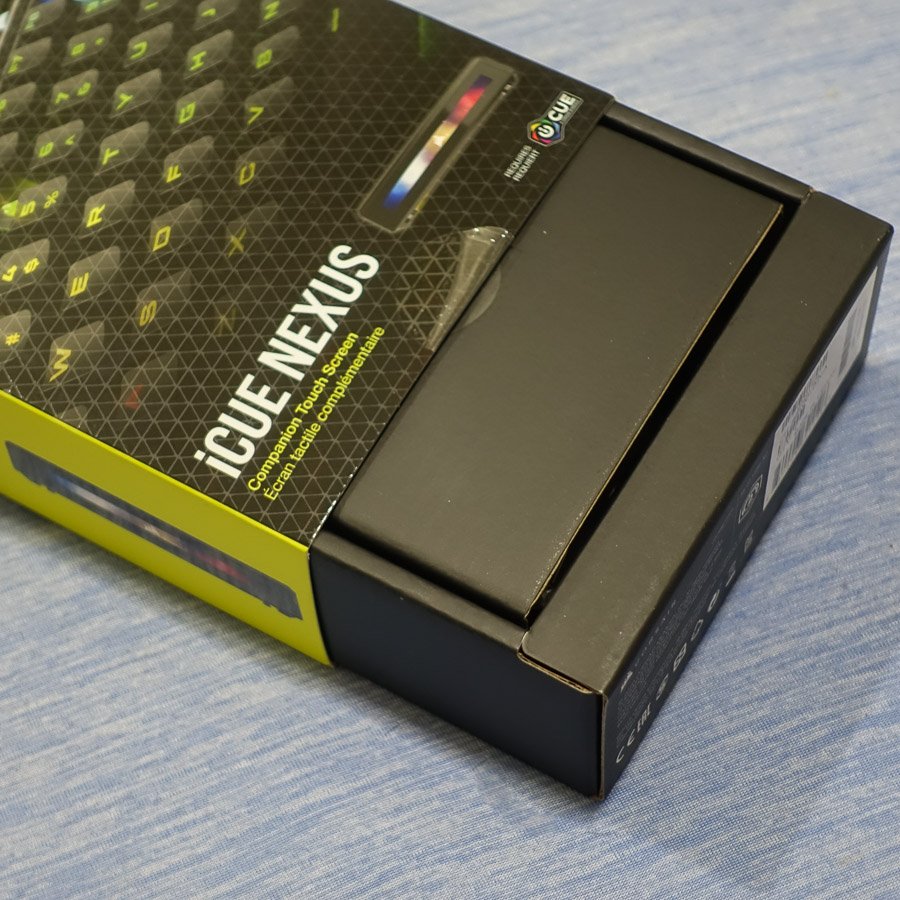
The packaging for the iCUE NEXUS maintains the recognizable CORSAIR design. On the front, you’ll find the company logo, product name, and a visual of the iCUE NEXUS in action, mounted on a keyboard. Moreover, the back showcases additional images that illustrate the screen’s diverse functionalities. For instance, it includes product placements such as CORSAIR’s sponsorship of the Rainbow Six Siege Pro League, featuring a custom game screen. Additionally, specifications and marketing highlights are presented in multiple languages. Finally, two seals secure the outer sleeve around the inner box, ensuring the packaging remains intact.

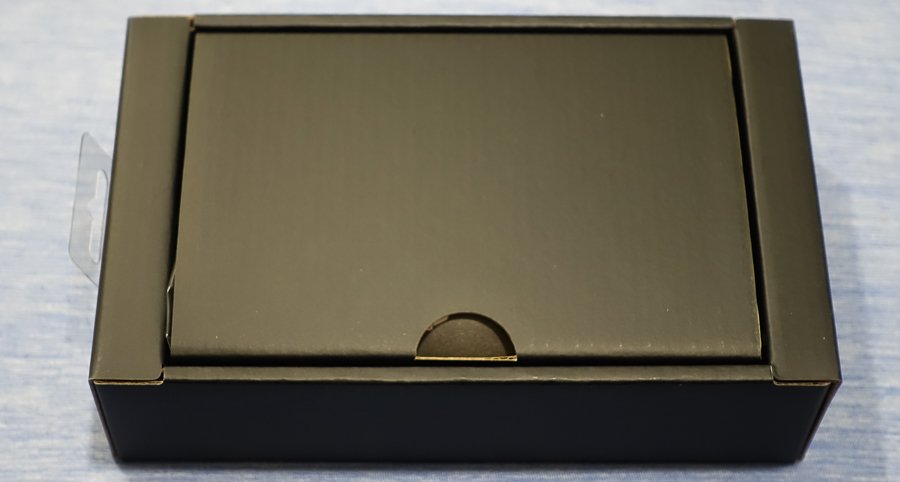
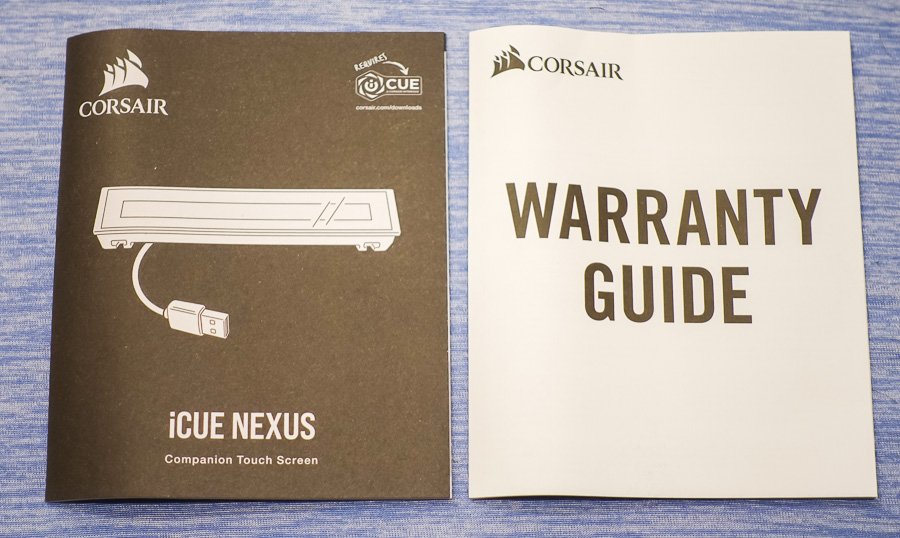
Inside, the inner box is minimalist, focusing more on practicality than aesthetics. Specifically, a convenient notch facilitates easy opening, revealing the included documentation. Inside, you’ll discover CORSAIR’s standard warranty guide, which covers two years in most regions. Additionally, there is a manual that provides detailed setup and usage tips for the iCUE NEXUS. Therefore, it’s worth reading through, especially if you’re unfamiliar with the iCUE ecosystem, to fully benefit from the device.

Beneath the cardboard divider, you’ll find the product itself, along with its base and accessories. Specifically, these include three mounting brackets for attaching the iCUE NEXUS to compatible keyboards, as well as 3M double-sided tape, similar to what is used on the iCUE LT100 headset holder. Furthermore, a plastic prying tool is included, which makes it easier to remove the bracket if you decide to detach it from the keyboard in the future.


Initial Setup
Initial Setup
The Corsair iCUE NEXUS can be placed on your desk using either the standalone base or by attaching it to the back of a compatible keyboard, such as the Corsair K70 RGB MK.2 or K95 RGB PLATINUM series, with the included mounting brackets. For the standalone base setup, the process is quick and feels secure, thanks to its non-slip rubber base. Conversely, mounting it to the K95 RGB PLATINUM XT keyboard involves a few more steps; however, it remains straightforward.
Moreover, the pre-attached adhesive strips on the bracket provide strong support. Corsair recommends waiting 24 hours for the adhesive to set before using the touchscreen, which ensures a more stable attachment. Additionally, the package includes a removal tool for easy detachment later if needed. Once the bracket is securely mounted, the NEXUS simply slides into place.
Afterwards, by connecting the Corsair iCUE NEXUS to your system via USB—either through the keyboard passthrough or the standalone base—you can then launch the iCUE software and begin exploring the device’s features.
iCUE Integration and Customization
iCUE Integration and Customization
As expected from a product with “iCUE” in its name, the Corsair iCUE NEXUS integrates seamlessly with the latest version of the software. It provides a range of customization options, including:
- Navigating and adding screens: Easily switch between or create new screens.
- Adding elements: Incorporate buttons and monitoring widgets as needed.
- Screen customization: Adjust backgrounds, names, and even copy or delete screens.
- Screen arrangement: Reorder screens and modify their views.
- Device widget screens: Auto-enabled controls are available for iCUE devices.
- Button library: Create and save buttons for reuse across different screens.
- Widgets list: Drag-and-drop available widgets onto any screen.
- Import/export screens: Quickly add or share pre-made screens with friends.
While the images in this review are informative, they barely scratch the surface of what the iCUE NEXUS can achieve. In fact, with the ability to create up to 200 separate screens, each featuring up to six virtual buttons, the customization options are almost endless. Moreover, Corsair plans to offer pre-made screens for games, with shortcuts displayed as touchscreen buttons, which further expands its functionality.
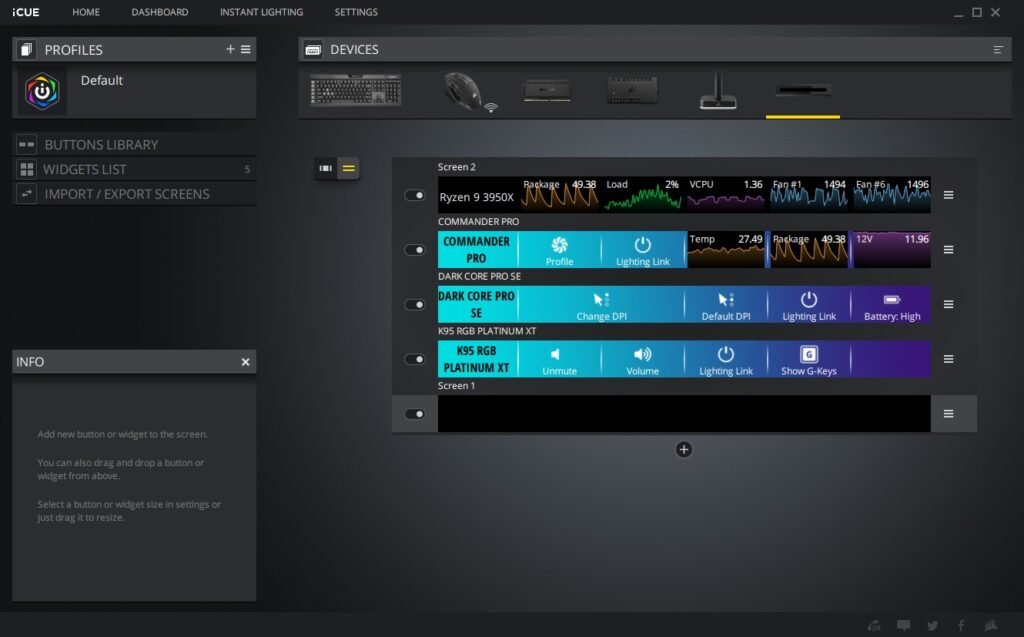


Additionally, the convenience of having dedicated screens for each connected iCUE device—such as liquid cooling systems, real-time CPU and GPU temperatures, and fan speeds—makes this a valuable tool for monitoring your system, even while gaming or working.
Final Thoughts
Final Thoughts
The Corsair iCUE Nexus caters to a niche market, primarily targeting Corsair peripheral users or those looking to dive deeper into the iCUE ecosystem. Although there’s much to appreciate about a customizable touch screen for PC control, the hardware could benefit from some refinement. For example, the large bezels, limited viewing angles, and adhesive installation (which currently supports only two keyboard models) contribute to a somewhat first-generation feel.
Nevertheless, the Corsair iCUE Nexus remains a useful and enjoyable device. While it may leave some users hoping for a 2.0 version, its features still hold undeniable appeal. Specifically, if you’re hesitant about spending $100 on a keyboard accessory that performs tasks your monitor can already handle, that’s understandable. However, the ability to change lighting settings with a tap, launch your favorite games or websites, and enjoy an additional display to enhance your workflow significantly justifies the investment.
Discover additional interesting Corsair items here
GGS – Related Articles:
Responses to “Corsair iCUE NEXUS Companion Touch Screen”
-
Процедура необходима в случае появления симптомов алкогольной интоксикации, таких как тошнота, головная боль, слабость, тревожность или нарушения сна. Особенно важно провести детоксикацию, если у человека наблюдаются хронические заболевания, которые могут обостриться под воздействием токсинов.
Подробнее тут – [url=https://kapelnica-ot-zapoya-krasnoyarsk55.ru/]капельница от запоя на дому[/url] -
Продуманный внешний вид играет значимую роль в создании первого впечатления.
Она помогает передать настроение и ощутить внутренний комфорт.
Современный внешний вид влияет на то, как человека оценивают другие люди.
В повседневной жизни одежда может повышать самооценку.
https://enovosibirsk.ru/read/2025-08-09-vybiraem-sumku-na-osen-2025-top-novinok/
Хорошо подобранная одежда облегчает социальные контакты.
При этом важно учитывать индивидуальные особенности и контекст.
Мода дают возможность обновлять образ.
В итоге, умение стильно одеваться влияет на общее восприятие личности. -
Контроль
Получить дополнительную информацию – [url=https://narkologicheskaya-klinika-lyubercy0.ru/]chastnaya-narkologicheskaya-klinika-v-lyubercah[/url] -
Профессиональная подготовка — это не формальность, а ключ к безопасной и эффективной процедуре. Врач собирает подробный анамнез, уточняет длительность и характер употребления, фиксирует соматические жалобы, анализирует текущие препараты (в том числе безрецептурные), измеряет давление, пульс, сатурацию, при необходимости назначает ЭКГ и лабораторные тесты. Если есть выраженная интоксикация, бессонница, тремор, скачки давления — стартуют с детокса и стабилизации: корректируют водно-электролитный баланс, снижают тревогу, нормализуют сон. Параллельно специалист объясняет механику методик кодирования, вероятные ощущения после процедуры, ограничения по нагрузкам, правила безопасного поведения в первые недели и алгоритм действий на случай усиления тяги. Подготовительный этап снимает неопределённость, уменьшает тревогу и повышает приверженность: человек понимает, что будет происходить и как оценивать улучшение.
Изучить вопрос глубже – http://kodirovanie-ot-alkogolizma-moskva9.ru/skolko-stoit-kodirovanie-ot-alkogolizma-v-moskve/ -
En Roby Casino encontrarás una extensa variedad de tragamonedas, incluyendo títulos como Gates of Olympus en versiones como Gates of Olympus 1000, Gates of Olympus Xmas y Gates of Olympus Super Scatter. También hay de otras temáticas, como la slot Sweet Bonanza, muy recomendable. Gates of Olympus es una de las slots online más populares del mercado. Aquí te explicamos cómo funciona, estrategias básicas, dónde jugar en España con operadores con licencia y te ofrecemos una demo gratis para practicar sin riesgo. Nos enorgullece ofrecer una plataforma de casino online de vanguardia, diseñada específicamente para satisfacer todos los gustos de todos nuestros clientes. Un proyecto ambicioso cuyo objetivo es celebrar el trabajo de las empresas más responsables del mundo del iGaming y ofrecerles el reconocimiento que merecen.
https://last88.org/balloon-duel-game-competencia-y-premios-en-guatemala/
La ronda de bonificación de giros gratis también se puede activar con una compra de bonificación en el juego base por 100 veces la apuesta del jugador. El valor moneda disponible en Gates of Olympus va de 20c a 20€. ¿Cuál es el RTP de Gates of Olympus 1000? El diseño de la slot Gates of Olympus rebosa energía. Basada en la temática de la antigua mitología griega, está protagonizada por Zeus, el rey de los dioses del Monte Olimpo el cual aparece flotando al lado derecho de los carretes. Gates of Olympus es un juego de tragaperras online que transporta a los jugadores al majestuoso Olimpo, hogar de los dioses griegos, donde el dios Zeus es el protagonista. El objetivo del juego es desvelar las riquezas ocultas tras las puertas del Olimpo con la ayuda de Zeus y su poderoso rayo. En esta reseña descubrirás cómo jugar gratis a Gates of Olympus en WebApuestas, conocerás sus funciones especiales, el RTP y nivel de volatilidad, además de consejos prácticos para aprovechar al máximo cada tirada. -
Запись и подтверждение — через защищённые каналы; визиты — без опознавательных знаков; в расписании используются шифры вместо фамилий, информирование семьи — только с вашего согласия. Когда страх огласки уходит, люди обращаются вовремя и лучше соблюдают рекомендации — это напрямую улучшает прогноз и экономит бюджет.
Разобраться лучше – http://kapelnica-ot-zapoya-lyubercy9.ru/skolko-stoit-kapelnica-ot-zapoya-v-lyubercah/https://kapelnica-ot-zapoya-lyubercy9.ru -
Если состояние «ходит по краю», сутки–двое под наблюдением нередко короче и дешевле серии ночных вызовов. В стационаре «АлкоМед Балашиха» организованы «тихие коридоры», нет общих очередей, а внимание распределено волнами: утро — оценка и инфузии, день — контроль динамики и коррекция доз, ночь — условия для полноценного сна и готовность быстро отреагировать при отклонениях. За этот срок удаётся «снять остроту», выровнять давление и пульс, уменьшить тремор, закрыть дефициты и безопасно перейти к амбулаторному формату. Приватность и уважение к границам сохраняются так же, как и при домашнем старте, — это убирает страх «быть узнанным» и повышает приверженность плану.
Получить дополнительные сведения – https://vyvod-iz-zapoya-balashiha9.ru/vyvod-iz-zapoya-na-domu-balashiha -
Родные — ключевой ресурс, если действовать согласованно. Мы обучаем базовым правилам: тише, темнее, теплее; вода и лёгкая еда «по часам»; никаких эмоциональных «разборов» в первые дни; заранее согласованные короткие сигналы для связи со специалистом. Важно отказаться от фраз «возьми себя в руки» и «а если ты сорвёшься?» — они усиливают тревогу и провоцируют сопротивление. Вместо этого — спокойные, конкретные договорённости на сегодня: во сколько отбой, как проходит вечер, когда и какие «буферы» использовать. Такой режим убирает хаос и снижает конфликтность, за счёт чего держится медицинский эффект, уменьшается количество «ночных качелей» и потребность в экстренных визитах. Когда у всех одна карта маршрута, путь к устойчивости становится короче и реалистичнее.
Подробнее тут – [url=https://vyvod-iz-zapoya-balashiha9.ru/]vyvod-iz-alkogolnogo-zapoya[/url] -
«ГородМед Трезвость» выстраивает помощь так, чтобы человек не оставался один ни на этапе выхода из запоя, ни во время стабилизации, ни в период удержания ремиссии. С первого звонка дежурный врач проводит короткое интервью, фиксирует жалобы, длительность употребления, сопутствующие болезни и текущие препараты, после чего предлагает безопасную точку входа — экстренный выезд на дом или приём без ожидания. Мы не растягиваем процесс по неделе: старт возможен в день обращения, а маршрутизация между форматами (дом, амбулаторный визит, стационар) занимает часы. Важная часть подхода — ясные цели каждого шага и критерии эффективности, понятные самому пациенту и семье: когда ждать облегчения тревоги, как нормализуется сон, когда вернётся аппетит, что считается «красным флажком» и как действовать без паники. Такая предсказуемость снижает уровень стресса и повышает приверженность лечению уже в первые трое суток.
Ознакомиться с деталями – http://narkologicheskaya-klinika-moskva99.ru -
Клиника ориентирована на клиническую достаточность: никаких процедур «для галочки», только то, что подтверждено показаниями. С первого контакта дежурный врач уточняет анамнез, лекарства, аллергии, оценивает риски сердечно-сосудистых осложнений, степень обезвоживания, уровень тревоги и качества сна. Если состояние позволяет, подготовка к кодированию проводится амбулаторно или на дому; при нестабильных показателях предлагается короткий стационар для безопасной стабилизации. Важна анонимность — в расписании используются шифры, доступ к данным разграничен, информирование родственников происходит только по согласию пациента. Организация процесса учитывает ритм мегаполиса: гибкие слоты в будни и выходные, выездные бригады, быстрый перевод из домашнего формата в стационар при необходимости. Финансовые условия проговариваются заранее, чтобы исключить скрытые позиции и дать человеку возможность планировать бюджет без догадок.
Получить больше информации – [url=https://kodirovanie-ot-alkogolizma-moskva9.ru/]anonimnoe-kodirovanie-ot-alkogolizma[/url] -
Перед процедурой обсуждаются цели, ожидаемые эффекты, возможные побочные реакции, сроки наблюдения. Пациент получает письменные рекомендации на первые трое суток: режим сна и жидкости, коррекция нагрузки, контакты для связи, сигналы настороженности. Такой формат сделал результаты более предсказуемыми: меньше импульсивных решений, меньше тревоги и больше контроля над поведением в критический ранний период.
Подробнее тут – [url=https://kodirovanie-ot-alkogolizma-moskva9.ru/]кодирование от алкоголизма отзывы цены[/url] -
Детокс — это последовательность целевых действий, а не один универсальный раствор. Мы восполняем жидкость и корректируем электролиты, защищаем печёночные функции, мягко снижаем тремор и тревогу, создаём условия для первого нормального сна. Каждая доза сверяется с динамикой давления, пульса, сатурации и неврологического статуса, поэтому схема не перегружена и не «гонится» за мимолётным эффектом ценой побочных реакций. После купирования острых проявлений начинается стабилизация: уточняются дозировки, выстраивается режим питания и гидратации, объясняются «красные флажки» для контакта с врачом, настраиваются простые поведенческие техники на «тёмные часы» вечера. В этот момент особенно важно не растворить медицинский эффект бытовыми ошибками: недосыпом, пропусками еды, конфликтными разговорами «о прошлом». Мы даём короткие, реалистичные алгоритмы на 20–40 минут — прогулка, тёплый душ, лёгкая еда по графику, дыхательные практики — чтобы снизить импульсивность и закрепить ощущение управляемости. Именно связка детокса с поведенческой дисциплиной формирует траекторию, которую можно удержать неделями, а не только до «завтрашнего утра».
Изучить вопрос глубже – https://narkologicheskaya-klinika-moskva999.ru/chastnaya-narkologicheskaya-klinika-v-moskve -
Алгоритм прозрачен. Сначала — краткое интервью и осмотр, измерение давления, пульса, сатурации, при необходимости — ЭКГ и оценка неврологического статуса. Далее — инфузионная терапия по показаниям: восполнение жидкости, коррекция электролитов, поддержка функций печени, мягкое снижение тремора и тревоги, подготовка к сну без «оглушения». Каждая доза сверяется с реакцией организма, чтобы не получить вечернего отката и побочных эффектов. Врач детально объясняет, какие ощущения нормальны (сонливость, сухость во рту, умеренная слабость), а какие — основание для связи. После процедуры повторно фиксируются показатели и выдаются письменные рекомендации на 48–72 часа: режим воды и лёгкой еды, запрет на «подвиги» и конфликты, время короткого дневного отдыха, интерфейс связи и условия повторного визита. Такой порядок убирает хаос: пациент и семья понимают, что именно делать вечером и ночью, как снизить «дергание» и зачем придерживаться простых правил, пока организм перестраивается после запоя.
Получить больше информации – http://narkolog-na-dom-moskva999.ru/narkolog-na-dom-moskva-kruglosutochno/ -
Нарколог выезжает в любое время суток, привозя мобильный кейс с инфузионными системами, растворами, принадлежностями для забора крови и экспресс-тестами. После прибытия проводится детальный осмотр и сбор дополнительных данных: ЭКГ-мониторинг, тесты на уровень глюкозы, электролитов и пр.
Исследовать вопрос подробнее – [url=https://kapelnica-ot-zapoya-voronezh3.ru/]капельница от запоя анонимно[/url] -
Метод и срок подбираются после очного осмотра и исключения противопоказаний. Возможны медикаментозные и психотерапевтические подходы, а также комбинированные программы. Мы объясняем плюсы и ограничения каждого метода, помогаем подготовиться (диета, анализы, отмена определённых препаратов), а затем сопровождаем пациента в период адаптации к трезвости. Кодирование — часть комплексного плана, а не «волшебная кнопка»: устойчивый результат достигается, когда его дополняют поддерживающая терапия и работа с триггерами.
Детальнее – [url=https://narkologicheskaya-klinika-balashiha0.ru/]наркологическая клиника цены[/url] -
Медицина выравнивает физиологию, но устойчивость дают простые действия. Мы вместе составляем карту триггеров: вечерние «тёмные часы», задержки без еды, конфликты, привычные маршруты с «точками соблазна», недосып. На каждый триггер — короткий «буфер» на 20–40 минут: спокойная прогулка близко к дому, тёплый душ, лёгкая еда по расписанию, дыхательная практика, созвон с «своим» человеком. Эти шаги бесплатны и выполнимы, но именно они уменьшают импульсивность и количество «проверок себя». Отдельный акцент — на ночной сон: ранний отбой, минимум экранов, затемнение, никаких энергичных разговоров и «разборов». Когда поведенческая рамка задана в первый же день, эффект инфузий не «сгорает» к вечеру, а переводит состояние в предсказуемую стабилизацию, на базе которой уже можно обсуждать кодирование и реабилитационные шаги.
Углубиться в тему – http://narkolog-na-dom-moskva999.ru -
После вашего звонка диспетчер фиксирует заявку и передаёт её свободному специалисту. Нарколог связывается для уточнения симптомов, времени начала запоя и наличия сопутствующих заболеваний, чтобы привезти нужные препараты.
Получить дополнительную информацию – https://kapelnica-ot-zapoya-voronezh.ru/kapelnicza-ot-zapoya-czena-v-voronezhe -
Детокс — это не универсальный раствор «от всего», а набор целевых вмешательств. Мы восполняем жидкость, корректируем электролиты, поддерживаем функции печени, мягко снижаем тремор и тревогу, готовим нервную систему к ночному сну. Каждая доза сверяется с реакцией организма — нет гонки за моментальным «оглушением» симптома ценой побочных эффектов и вечерних откатов. После купирования острой фазы пациент получает понятные правила на 48–72 часа: вода порциями, лёгкая еда по расписанию, «тихий режим» перед сном, запрет на «подвиги» и конфликтные разговоры, критерии связи с врачом. Мы отдельно объясняем, что делать в «тёмные часы» — когда повышается тревожность и усиливается тяга: короткая прогулка рядом с домом, тёплый душ, дыхательные практики, контакт с «своим» человеком, отключение экранов. Такие простые действия бесплатны, но именно они удерживают медицинский эффект и переводят состояние в предсказуемую стабилизацию.
Ознакомиться с деталями – [url=https://vyvod-iz-zapoya-balashiha9.ru/]вывод из запоя на дому балашиха цены[/url] -
Такая услуга доступна круглосуточно, что позволяет вызвать врача в любое время. Профессиональные специалисты, приехав на дом, тщательно подберут состав капельницы с учетом индивидуальных особенностей пациента, чтобы обеспечить максимально эффективное лечение. Анонимность и высокая квалификация медперсонала делают этот способ особенно удобным для людей, которые предпочитают конфиденциальность.
Подробнее тут – [url=https://kapelnica-ot-zapoya-ekb55.ru/]врач на дом капельница от запоя[/url] -
Затяжной запой и острая алкогольная интоксикация требуют немедленного вмешательства специалистов. Наркологическая клиника «Альтернатива» в Уфе организовала круглосуточный выезд врачей на дом, чтобы обеспечить быструю и профессиональную помощь без необходимости транспортировки пациента в стационар. Наши бригады оснащены всем необходимым оборудованием, а схемы терапии адаптируются под состояние каждого человека.
Подробнее тут – [url=https://narkologicheskaya-pomoshh-ufa9.ru/]наркологическая помощь на дому уфа[/url] -
Клиника «Альтернатива» предлагает фиксированные цены на выезд нарколога с оплатой после оказания услуги. Тарифы действуют по всему городу и пригороду.
Исследовать вопрос подробнее – http://narkologicheskaya-pomoshh-ufa9.ru -
Формат
Подробнее можно узнать тут – https://narkologicheskaya-klinika-lyubercy0.ru/anonimnaya-narkologicheskaya-klinika-v-lyubercah/ -
Домашний визит — это медицинская логика без лишней логистики. В мегаполисе каждая задержка увеличивает риски: человек устаёт, растёт тревога, обостряются скачки давления и пульса, а бессонные ночи превращают любые «самодельные» схемы в опасный эксперимент. «Трезвый Стандарт» строит помощь как управляемую последовательность: дежурный врач собирает краткий анамнез (длительность употребления, лекарства, сопутствующие заболевания), уточняет текущие показатели и предлагает безопасную точку входа — выезд на дом или стационар на сутки-двое при высоких рисках. Дом даёт приватность и предсказуемость: знакомая среда снижает стресс, а врач привозит всё для мониторинга и инфузий по показаниям. Ключевой результат первых часов — контролируемый сон, понятный режим гидратации и питания «по силам», а также зафиксированные «красные флажки» для связи. Именно последовательность, а не «сильная капельница любой ценой», делает выездной формат эффективным и безопасным в реальном ритме Москвы.
Ознакомиться с деталями – [url=https://narkolog-na-dom-moskva999.ru/]narkolog na dom nedorogo[/url] -
Алгоритм прозрачен. Сначала — краткое интервью и осмотр, измерение давления, пульса, сатурации, при необходимости — ЭКГ и оценка неврологического статуса. Далее — инфузионная терапия по показаниям: восполнение жидкости, коррекция электролитов, поддержка функций печени, мягкое снижение тремора и тревоги, подготовка к сну без «оглушения». Каждая доза сверяется с реакцией организма, чтобы не получить вечернего отката и побочных эффектов. Врач детально объясняет, какие ощущения нормальны (сонливость, сухость во рту, умеренная слабость), а какие — основание для связи. После процедуры повторно фиксируются показатели и выдаются письменные рекомендации на 48–72 часа: режим воды и лёгкой еды, запрет на «подвиги» и конфликты, время короткого дневного отдыха, интерфейс связи и условия повторного визита. Такой порядок убирает хаос: пациент и семья понимают, что именно делать вечером и ночью, как снизить «дергание» и зачем придерживаться простых правил, пока организм перестраивается после запоя.
Получить дополнительные сведения – https://narkolog-na-dom-moskva999.ru/narkolog-na-dom-moskva-kruglosutochno -
Нарколог выезжает в любое время суток, привозя мобильный кейс с инфузионными системами, растворами, принадлежностями для забора крови и экспресс-тестами. После прибытия проводится детальный осмотр и сбор дополнительных данных: ЭКГ-мониторинг, тесты на уровень глюкозы, электролитов и пр.
Детальнее – http://kapelnica-ot-zapoya-voronezh3.ru -
Этапы оказания помощи выездной наркологической бригадой включают:
Углубиться в тему – http://narcolog-na-dom-ekaterinburg55.ru -
Услуга вызова нарколога на дом в Красноярске — это удобный и современный способ получения медицинской помощи. Она идеально подходит для тех, кто нуждается в профессиональной поддержке, но по каким-либо причинам не может или не хочет посещать клинику.
Ознакомиться с деталями – [url=https://narcolog-na-dom-krasnoyarsk55.ru/]нарколог на дом круглосуточно в красноярске[/url] -
Услуга вызова нарколога на дом в Красноярске — это удобный и современный способ получения медицинской помощи. Она идеально подходит для тех, кто нуждается в профессиональной поддержке, но по каким-либо причинам не может или не хочет посещать клинику.
Узнать больше – http://narcolog-na-dom-krasnoyarsk55.ru -
Медикаментозное лечение — это еще один важный этап. Оно включает использование препаратов, которые помогают пациенту восстановиться как физически, так и психологически. Нарколог контролирует процесс лечения, чтобы исключить побочные эффекты и скорректировать терапию при необходимости.
Подробнее тут – [url=https://narcolog-na-dom-v-krasnoyarske55.ru/]вызов врача нарколога на дом красноярск[/url] -
Показана при обезвоживании, «скачущем» давлении и пульсе, угрозе судорог, упорной рвоте, эпизодах спутанности сознания, тяжёлой соматике. За сутки–двое удаётся выровнять показатели, наладить сон и безопасно перейти к амбулаторному этапу.
Получить дополнительные сведения – [url=https://narkologicheskaya-klinika-moskva999.ru/]narkologicheskaya-klinika-v-moskve[/url] -
«ГородМед Трезвость» выстраивает помощь так, чтобы человек не оставался один ни на этапе выхода из запоя, ни во время стабилизации, ни в период удержания ремиссии. С первого звонка дежурный врач проводит короткое интервью, фиксирует жалобы, длительность употребления, сопутствующие болезни и текущие препараты, после чего предлагает безопасную точку входа — экстренный выезд на дом или приём без ожидания. Мы не растягиваем процесс по неделе: старт возможен в день обращения, а маршрутизация между форматами (дом, амбулаторный визит, стационар) занимает часы. Важная часть подхода — ясные цели каждого шага и критерии эффективности, понятные самому пациенту и семье: когда ждать облегчения тревоги, как нормализуется сон, когда вернётся аппетит, что считается «красным флажком» и как действовать без паники. Такая предсказуемость снижает уровень стресса и повышает приверженность лечению уже в первые трое суток.
Изучить вопрос глубже – http://narkologicheskaya-klinika-moskva99.ru/narkologicheskaya-klinika-v-moskve-ceny/https://narkologicheskaya-klinika-moskva99.ru -
Лечение выводом из запоя на дому в «ВоронежМед» организовано по отработанному протоколу, включающему несколько ключевых этапов.
Получить дополнительную информацию – https://kapelnica-ot-zapoya-voronezh.ru/kapelnicza-ot-zapoya-na-domu-v-voronezhe -
Решение обратиться за наркологической помощью часто упирается в страх огласки и сомнения в эффективности. В «МедТрезвие» эти барьеры снимаются за счёт клинической достаточности и предсказуемой организации. Диагностика и вмешательства назначаются строго по показаниям: врач оценит риски сердечно-сосудистых осложнений, состояние печени и поджелудочной железы, уровень тревоги и сна, наличие депрессивных симптомов. При устойчивом состоянии часть процедур выполняется на дому, что снижает стресс, а при признаках нестабильности — рекомендуется стационар с круглосуточным наблюдением. Анонимность поддерживается шифрованием данных, разграничением доступа и информированием родственников только по согласию пациента. Финансовые условия обсуждаются заранее: семья понимает, из чего складывается смета, и может планировать ресурс без опасений «скрытых» позиций. В результате лечение становится управляемым процессом, где медицинская безопасность и уважение к личной жизни человека — обязательные элементы, а не рекламные обещания.
Получить дополнительную информацию – https://narkologicheskaya-klinika-moskva9.ru/chastnaya-narkologicheskaya-klinika-v-moskve -
Запой – это состояние, при котором контроль над потреблением алкоголя полностью утрачивается, что может привести к серьезным осложнениям и даже угрозе жизни. В Новокузнецке специалисты предлагают современные методики вывода из запоя, позволяющие оперативно стабилизировать состояние пациента и обеспечить безопасное восстановление организма. Благодаря комплексному подходу и применению передовых технологий, лечение проходит быстро и эффективно, что гарантирует минимизацию рисков и предотвращение рецидивов.
Выяснить больше – http://vyvod-iz-zapoya-novokuznetsk66.ru -
Абстинентный синдром, или ломка, – это тяжелое состояние, которое развивается у зависимых после отказа от наркотиков или алкоголя. Он сопровождается сильными физическими болями, судорогами, повышенной тревожностью, бессонницей и эмоциональными перепадами, что может привести к серьезным осложнениям для здоровья. Наркологическая клиника «Здравица» в Ростове-на-Дону предлагает комплексное лечение абстинентного синдрома, используя передовые методики и индивидуальный подход для быстрого восстановления здоровья.
Подробнее – https://snyatie-lomki-rnd77.ru/snyatie-lomki-narkomana-v-rnd/ -
Например, если речь идет о выводе из запоя, врач проведет тщательное обследование пациента, чтобы определить общее состояние здоровья и наличие возможных осложнений. На основе диагностики будет назначена инфузионная терапия, которая включает введение растворов, витаминов и препаратов для снятия абстиненции.
Получить больше информации – [url=https://narcolog-na-dom-v-krasnoyarske55.ru/]вызов нарколога на дом красноярск[/url] -
Вместо универсальных «капельниц на все случаи» мы собираем персональный план: состав инфузий, необходимость диагностик, частоту наблюдения и следующий шаг маршрута. Такой подход экономит время, снижает тревогу и даёт предсказуемый горизонт: что будет сделано сегодня, чего ждать завтра и какие критерии покажут, что идём по плану.
Изучить вопрос глубже – http://narkologicheskaya-klinika-himki0.ru -
Этот обзор позволяет по-новому взглянуть на вещи, на которые обычно и так смотрят. Мы упоминаем факты, которые мало что меняют, и события, значение которых трудно определить, но они всё равно здесь.
Вот – [url=https://arma-rehab.ru/vyvod-iz-zapoya/]казино[/url] -
Мы помогаем при острых состояниях, связанных с алкоголем, и сопровождаем до устойчивой ремиссии. Детокс у нас — это не «одна капельница», а система мер: регидратация и коррекция электролитов, защита печени и ЖКТ, мягкая седативная поддержка по показаниям, контроль давления/пульса/сатурации/температуры, оценка сна и уровня тревоги. После стабилизации обсуждаем стратегию удержания результата: подготовку к кодированию (если показано), настройку поддерживающей терапии и реабилитационный блок.
Изучить вопрос глубже – [url=https://narkologicheskaya-klinika-mytishchi0.ru/]narkologicheskaya-klinika-pomoshch-na-domu[/url] -
Перед оформлением вызова проводится предварительная телефонная консультация, позволяющая оценить тяжесть состояния и заранее подготовить необходимые препараты.
Получить больше информации – https://kapelnica-ot-zapoya-voronezh.ru/kapelnicza-ot-zapoya-na-domu-v-voronezhe/ -
Лечение начинается с внутривенных инфузий, вводимых с целью скорейшего выведения продуктов распада алкоголя. Препараты корректируют водно-электролитный баланс, поддерживают работу печени и почек, а также нормализуют работу сердечно-сосудистой системы. Все процедуры проводятся под наблюдением квалифицированного персонала, что обеспечивает максимальную безопасность терапии.
Получить дополнительные сведения – [url=https://vyvod-iz-zapoya-krasnoyarsk66.ru/]вывод из запоя недорого[/url] -
Мы выезжаем в любое время дня и ночи. Организационно всё просто: короткий звонок с описанием состояния, согласование адреса и времени, консультация по подготовке помещения, приезд врача. Если состояние тяжёлое (длительный запой, возраст 60+, выраженная соматика, признаки делирия, многократная рвота, спутанность сознания), медик предложит стационар сразу — это безопаснее, чем пытаться «дотянуть» ночь дома. В клинике пациент находится под круглосуточным наблюдением, при необходимости выполняются дополнительные исследования, расширяется объём инфузий, корректируется медикаментозная схема. Для пожилых и кардиологических пациентов стационарный формат часто предпочтителен: непрерывный мониторинг снижает риски и ускоряет стабилизацию.
Исследовать вопрос подробнее – [url=https://vyvod-iz-zapoya-korolev10.ru/]вывод из запоя на дому круглосуточно[/url] -
Этот этап лечения направлен на купирование острых симптомов, связанных с абстинентным синдромом. Пациенту назначаются современные препараты, способствующие выведению токсинов, нормализации работы сердца, печени, центральной нервной системы.
Подробнее тут – [url=https://narkologicheskaya-klinika-volgograd9.ru/]наркологическая клиника клиника помощь волгоград[/url] -
Как подчёркивает врач-нарколог клиники «Гармония здоровья» Александр Ветров, «любая зависимость — это не слабость, а болезнь, требующая медицинского вмешательства и системного подхода».
Углубиться в тему – https://narkologicheskaya-klinika-voronezh9.ru/uslugi-narkologicheskoj-kliniki-voronezh/ -
Как помогает организму
Подробнее тут – https://vyvod-iz-zapoya-novokuznetsk6.ru/vyvod-iz-zapoya-na-domu-novokuzneczk -
Решение обратиться за наркологической помощью часто упирается в страх огласки и сомнения в эффективности. В «МедТрезвие» эти барьеры снимаются за счёт клинической достаточности и предсказуемой организации. Диагностика и вмешательства назначаются строго по показаниям: врач оценит риски сердечно-сосудистых осложнений, состояние печени и поджелудочной железы, уровень тревоги и сна, наличие депрессивных симптомов. При устойчивом состоянии часть процедур выполняется на дому, что снижает стресс, а при признаках нестабильности — рекомендуется стационар с круглосуточным наблюдением. Анонимность поддерживается шифрованием данных, разграничением доступа и информированием родственников только по согласию пациента. Финансовые условия обсуждаются заранее: семья понимает, из чего складывается смета, и может планировать ресурс без опасений «скрытых» позиций. В результате лечение становится управляемым процессом, где медицинская безопасность и уважение к личной жизни человека — обязательные элементы, а не рекламные обещания.
Подробнее можно узнать тут – http://narkologicheskaya-klinika-moskva9.ru/chastnaya-narkologicheskaya-klinika-v-moskve/ -
Игнорирование этих симптомов опасно для жизни и здоровья. Своевременное обращение в клинику «Рестарт» позволит оперативно и безопасно облегчить симптомы ломки и избежать серьезных последствий.
Подробнее – [url=https://snyatie-lomki-rnd7.ru/]снятие ломки на дому цена краснодар[/url] -
Капельница – это метод внутривенной инфузии, который позволяет доставить в организм пациента растворы для детоксикации и восстановления. Основные задачи процедуры включают очищение крови от токсичных веществ, нормализацию водно-солевого баланса и улучшение общего самочувствия.
Узнать больше – http:// -
Кодирование — не «волшебная кнопка», а усилитель плана после стабилизации. Мы рассматриваем методики индивидуально: инъекционные варианты дают фиксированный срок действия без ежедневной дисциплины; имплантационные — более длительный контроль; пероральные режимы гибче, но требуют высокой приверженности и частых контактов. Перед процедурой врач сверяет лекарства на взаимодействия, исключает противопоказания, объясняет механизмы, ограничения и риски, согласует план наблюдения. После — пациент получает памятку на ближайшие недели: режим сна, жидкости и питания, списки «красных флажков», окна связи, набор поведенческих «буферов». Такой реализм убирает соблазн «проверять» метод и снижает вероятность срывов, пока нервная система перестраивается. При необходимости мы подключаем семейные встречи: договариваемся о правилах дома, ролях и формулировках, которые уменьшают сопротивление вместо того, чтобы его подогревать. В результате фармакологический инструмент работает не сам по себе, а в экосистеме поддержки — так эффективность становится выше, а траектория устойчивее.
Исследовать вопрос подробнее – [url=https://narkologicheskaya-klinika-moskva999.ru/]частная наркологическая клиника москва[/url] -
Для кого
Подробнее тут – https://narkologicheskaya-klinika-himki0.ru/kruglosutochnaya-narkologicheskaya-klinika-v-himkah/







Leave a Comment