


Introduction
Introduction
With the increasing demand for streaming-related products, Corsair has capitalized on this trend, particularly after acquiring Elgato, by bringing innovative solutions to the forefront. However, not everyone desires a bulky stream deck taking up space on their desk. Consequently, the Corsair iCUE NEXUS Companion Touch Screen we’re reviewing is not a dedicated stream deck. Nevertheless, it offers similar functionality and many additional features to keep iCUE users satisfied.
Furthermore, this device allows users to access iCUE software features without interrupting their tasks or waiting for the software to load. Specifically, with just a touch on the back edge of a compatible Corsair keyboard, you can seamlessly control any connected iCUE device. Moreover, Corsair’s touchscreen is fully customizable, which enables macro programming, G-key usage for keyboards lacking dedicated keys, and more. In essence, it’s akin to the Logitech G19 but without its limitations; thus, your creativity becomes the only boundary.
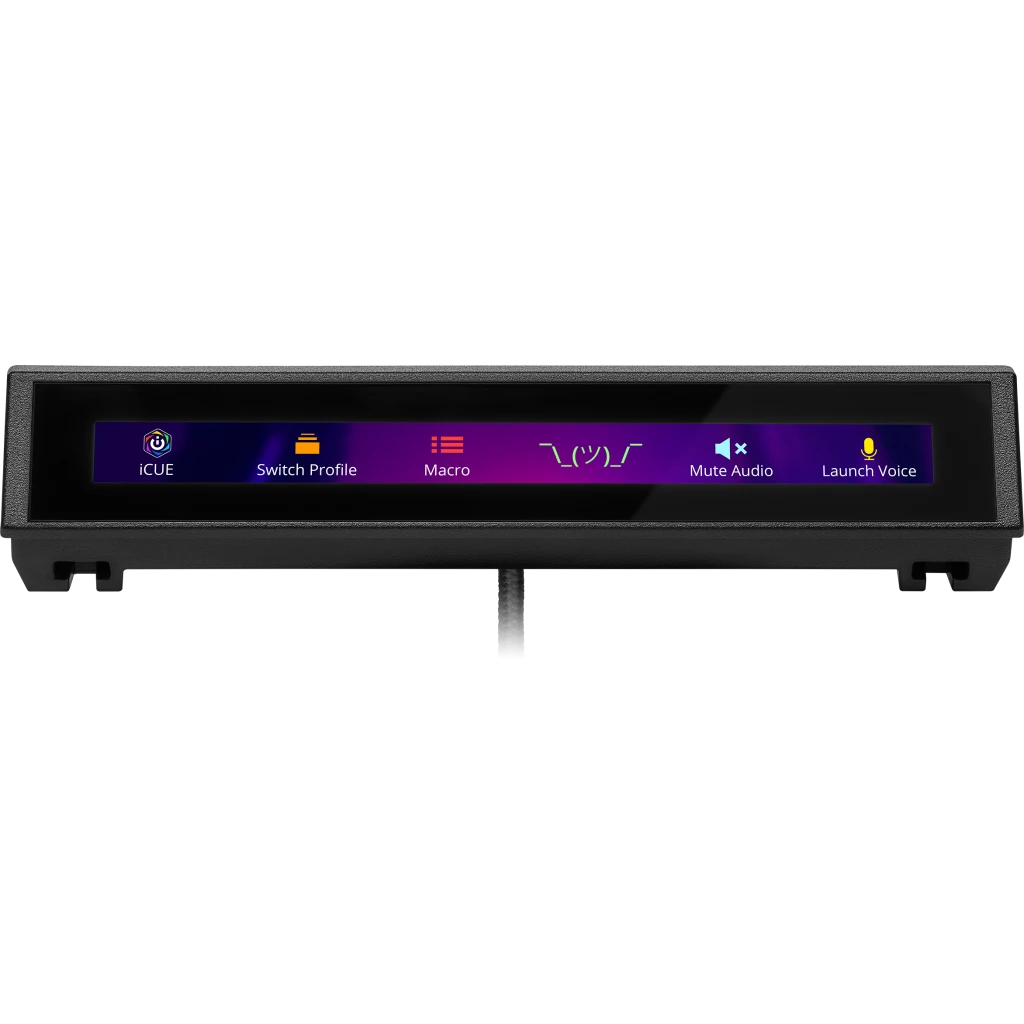
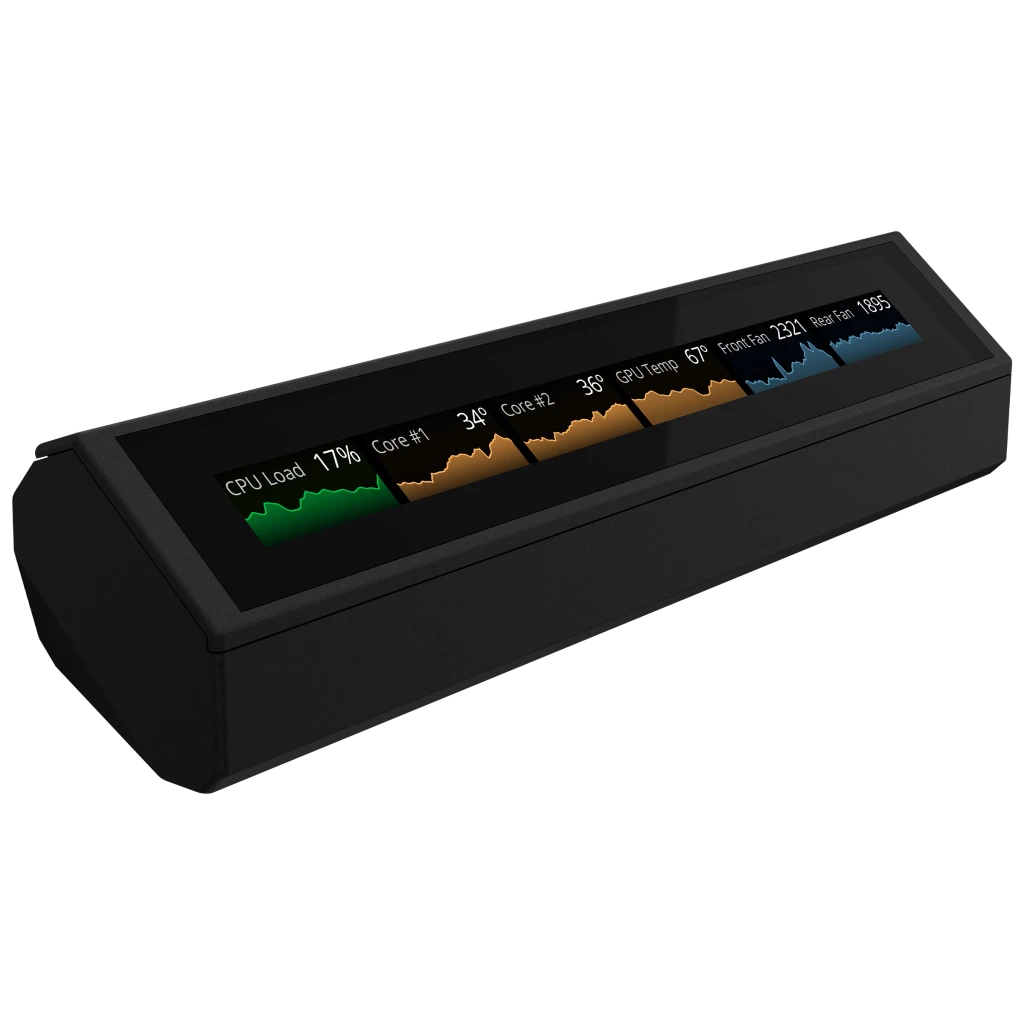


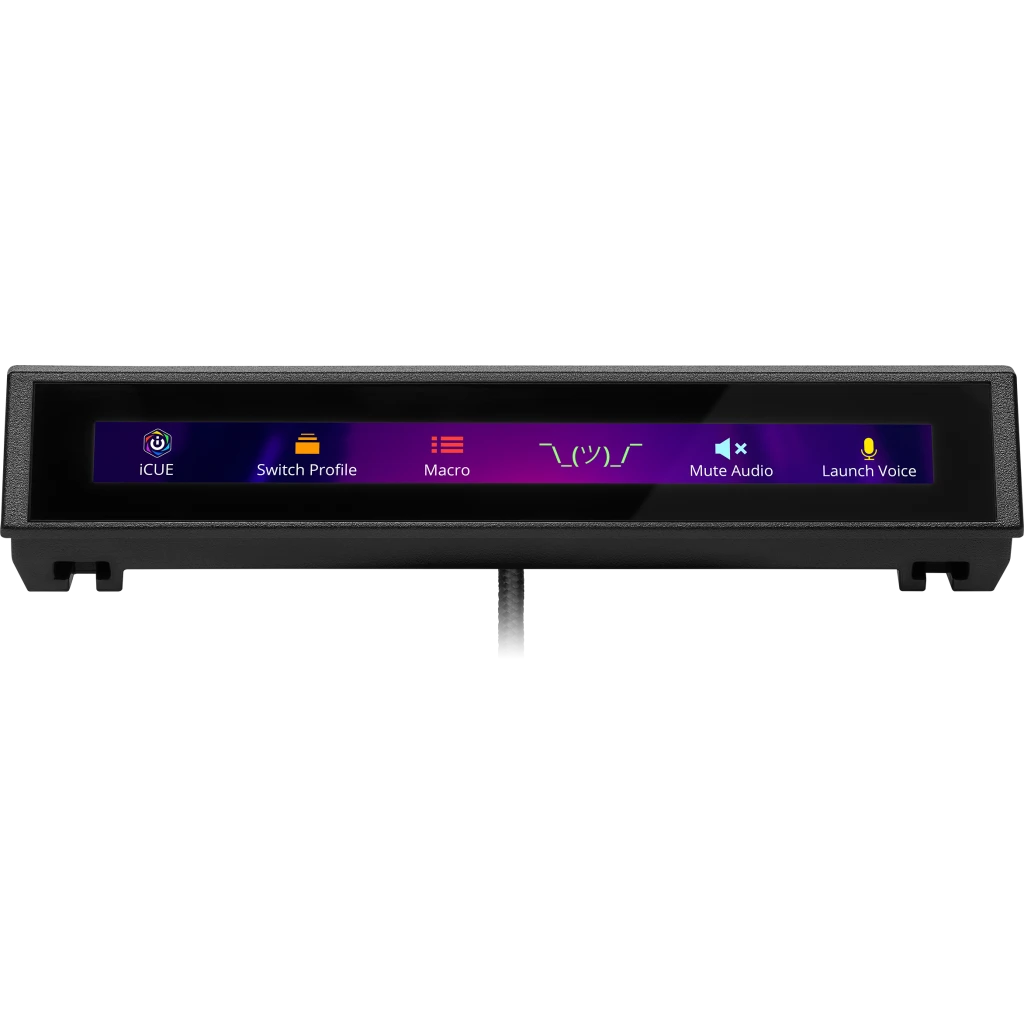
Even if you aren’t already in the iCUE ecosystem or don’t own a compatible Corsair keyboard, the iCUE Nexus Companion Touch Screen remains a worthwhile investment. Additionally, it comes with an optional standalone base, which allows it to function independently. By connecting it via a USB 2.0 port, you gain access to a five-inch diagonal LCD screen that offers various customizable options. Consequently, you can effortlessly switch between different screens and control your PC seamlessly. Furthermore, this setup ensures that the device occupies minimal desk space, thereby enhancing your workspace efficiency.
| Specification | Details |
|---|---|
| Screen Size | 5″ Diagonal |
| Resolution | 640×48 pixels |
| Aspect Ratio | 40:3 |
| Frame Rate | 24 FPS |
| Screen Color | RGB, 262K colors |
| Backlighting | Yes, adjustable |
| Touch Screen | Yes, single-point capacitive |
| Programmable Buttons | Up to 6 virtual buttons |
| Chassis | Plastic |
| Color | Black |
| Connectivity | USB 2.0 Type-A |
| Onboard Memory | No |
| Plug-and-Play | No, requires iCUE software |
| OS Compatibility | Windows 10 |
| iCUE Software | Supported, requires Windows 10 |
| Cable | 1.82 m / 6 ft, braided on standalone base |
| Dimensions (w/o base) | 154 x 35 x 16 mm / 6.07 x 1.38 x 0.63 inches |
| Weight (w/o base) | 60 g / 0.14 lbs |
| Warranty | 2 years |

Packaging and Accessories
Packaging and Accessories
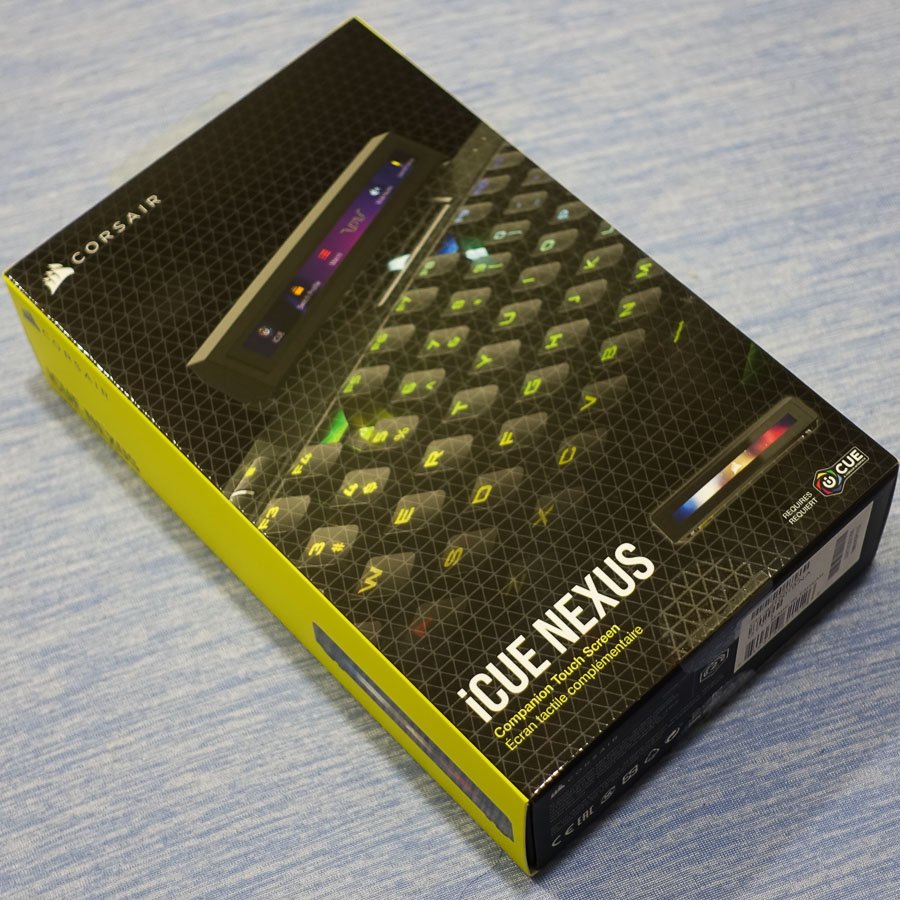
The packaging for the iCUE NEXUS maintains the recognizable CORSAIR design. On the front, you’ll find the company logo, product name, and a visual of the iCUE NEXUS in action, mounted on a keyboard. Moreover, the back showcases additional images that illustrate the screen’s diverse functionalities. For instance, it includes product placements such as CORSAIR’s sponsorship of the Rainbow Six Siege Pro League, featuring a custom game screen. Additionally, specifications and marketing highlights are presented in multiple languages. Finally, two seals secure the outer sleeve around the inner box, ensuring the packaging remains intact.
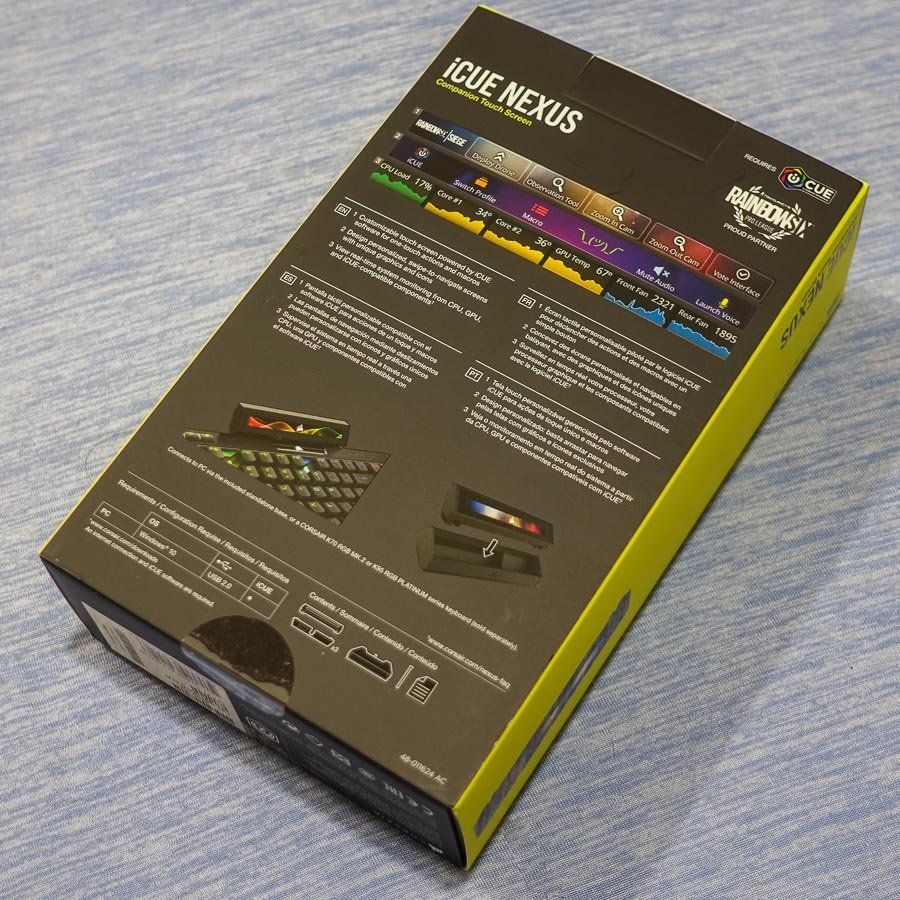

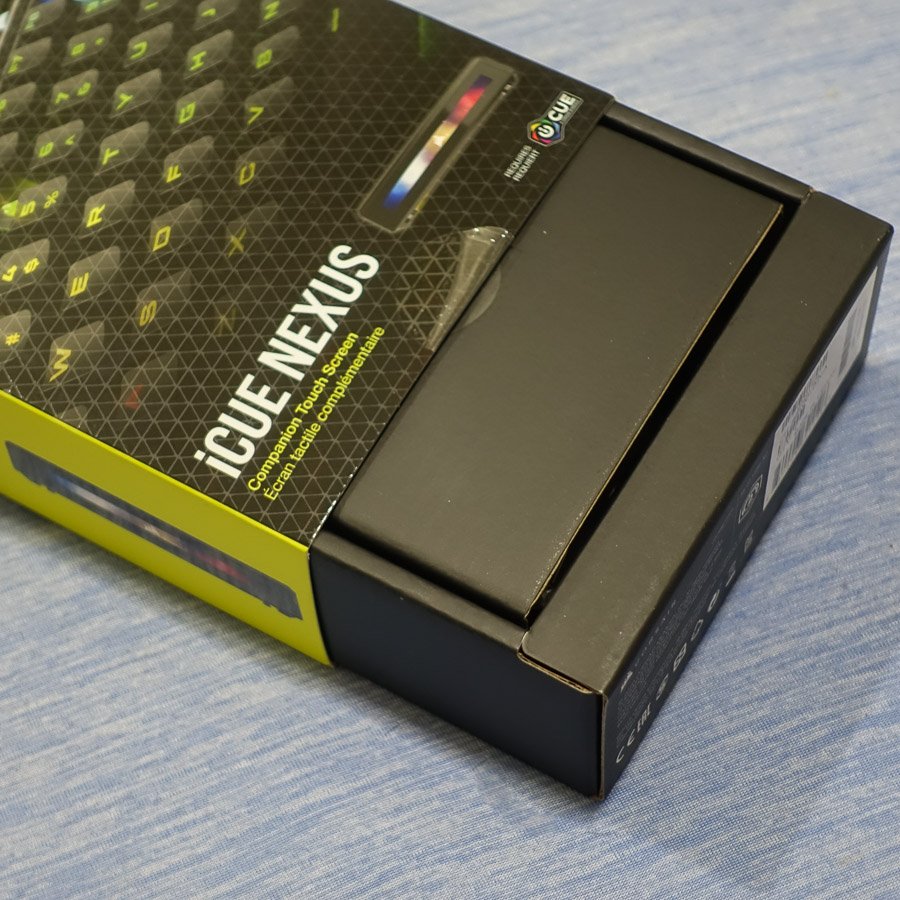
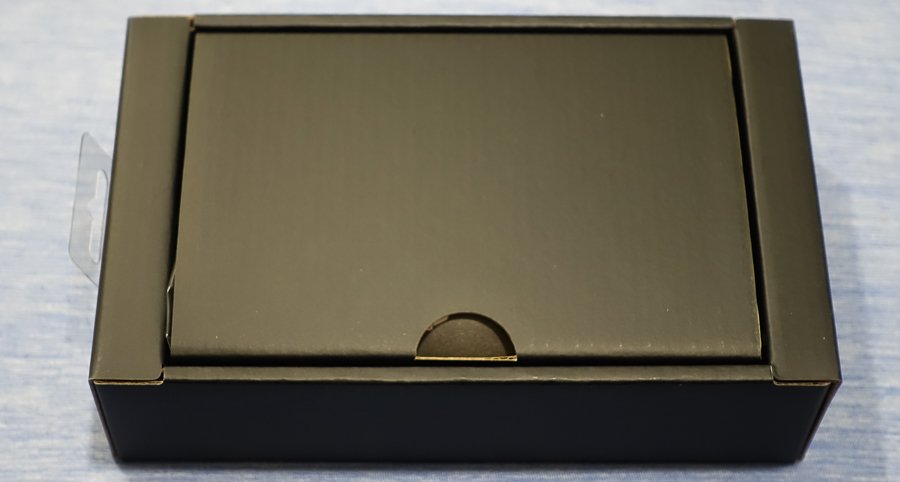
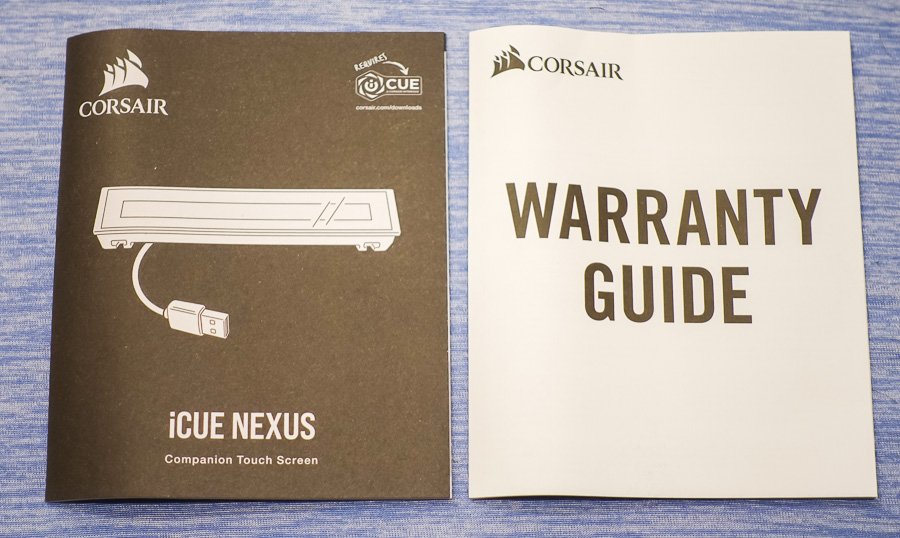
Inside, the inner box is minimalist, focusing more on practicality than aesthetics. Specifically, a convenient notch facilitates easy opening, revealing the included documentation. Inside, you’ll discover CORSAIR’s standard warranty guide, which covers two years in most regions. Additionally, there is a manual that provides detailed setup and usage tips for the iCUE NEXUS. Therefore, it’s worth reading through, especially if you’re unfamiliar with the iCUE ecosystem, to fully benefit from the device.

Beneath the cardboard divider, you’ll find the product itself, along with its base and accessories. Specifically, these include three mounting brackets for attaching the iCUE NEXUS to compatible keyboards, as well as 3M double-sided tape, similar to what is used on the iCUE LT100 headset holder. Furthermore, a plastic prying tool is included, which makes it easier to remove the bracket if you decide to detach it from the keyboard in the future.


Initial Setup
Initial Setup
The Corsair iCUE NEXUS can be placed on your desk using either the standalone base or by attaching it to the back of a compatible keyboard, such as the Corsair K70 RGB MK.2 or K95 RGB PLATINUM series, with the included mounting brackets. For the standalone base setup, the process is quick and feels secure, thanks to its non-slip rubber base. Conversely, mounting it to the K95 RGB PLATINUM XT keyboard involves a few more steps; however, it remains straightforward.
Moreover, the pre-attached adhesive strips on the bracket provide strong support. Corsair recommends waiting 24 hours for the adhesive to set before using the touchscreen, which ensures a more stable attachment. Additionally, the package includes a removal tool for easy detachment later if needed. Once the bracket is securely mounted, the NEXUS simply slides into place.
Afterwards, by connecting the Corsair iCUE NEXUS to your system via USB—either through the keyboard passthrough or the standalone base—you can then launch the iCUE software and begin exploring the device’s features.
iCUE Integration and Customization
iCUE Integration and Customization
As expected from a product with “iCUE” in its name, the Corsair iCUE NEXUS integrates seamlessly with the latest version of the software. It provides a range of customization options, including:
- Navigating and adding screens: Easily switch between or create new screens.
- Adding elements: Incorporate buttons and monitoring widgets as needed.
- Screen customization: Adjust backgrounds, names, and even copy or delete screens.
- Screen arrangement: Reorder screens and modify their views.
- Device widget screens: Auto-enabled controls are available for iCUE devices.
- Button library: Create and save buttons for reuse across different screens.
- Widgets list: Drag-and-drop available widgets onto any screen.
- Import/export screens: Quickly add or share pre-made screens with friends.
While the images in this review are informative, they barely scratch the surface of what the iCUE NEXUS can achieve. In fact, with the ability to create up to 200 separate screens, each featuring up to six virtual buttons, the customization options are almost endless. Moreover, Corsair plans to offer pre-made screens for games, with shortcuts displayed as touchscreen buttons, which further expands its functionality.
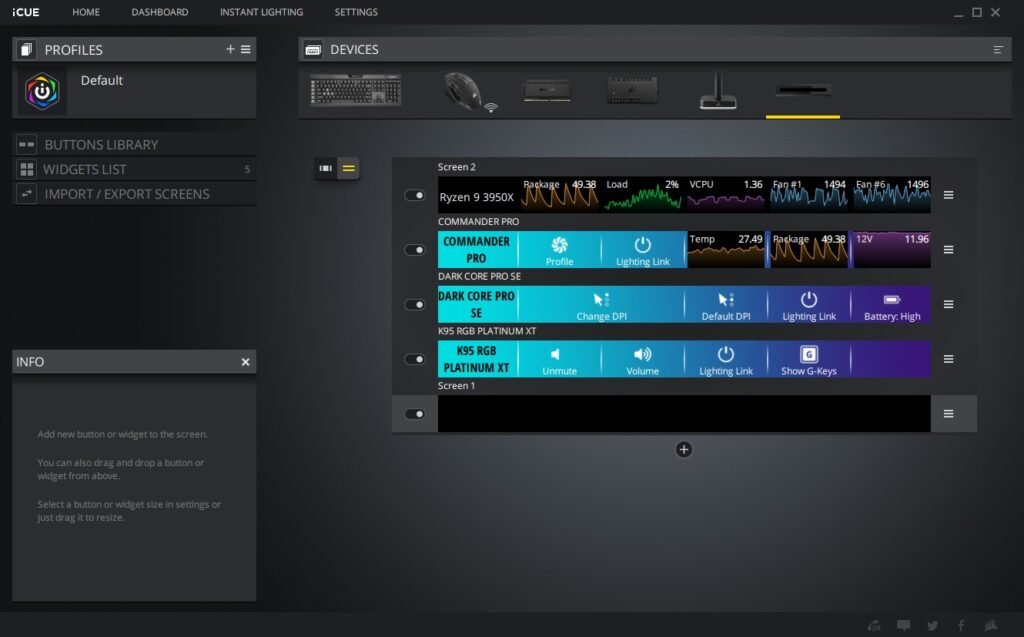


Additionally, the convenience of having dedicated screens for each connected iCUE device—such as liquid cooling systems, real-time CPU and GPU temperatures, and fan speeds—makes this a valuable tool for monitoring your system, even while gaming or working.
Final Thoughts
Final Thoughts
The Corsair iCUE Nexus caters to a niche market, primarily targeting Corsair peripheral users or those looking to dive deeper into the iCUE ecosystem. Although there’s much to appreciate about a customizable touch screen for PC control, the hardware could benefit from some refinement. For example, the large bezels, limited viewing angles, and adhesive installation (which currently supports only two keyboard models) contribute to a somewhat first-generation feel.
Nevertheless, the Corsair iCUE Nexus remains a useful and enjoyable device. While it may leave some users hoping for a 2.0 version, its features still hold undeniable appeal. Specifically, if you’re hesitant about spending $100 on a keyboard accessory that performs tasks your monitor can already handle, that’s understandable. However, the ability to change lighting settings with a tap, launch your favorite games or websites, and enjoy an additional display to enhance your workflow significantly justifies the investment.
Discover additional interesting Corsair items here
GGS – Related Articles:
Responses to “Corsair iCUE NEXUS Companion Touch Screen”
-
Алкогольная интоксикация и запой могут стремительно ухудшить состояние здоровья, став угрозой жизни, поэтому оперативное вмешательство имеет первостепенное значение. В Туле квалифицированные наркологи предоставляют круглосуточную помощь на дому, что позволяет начать лечение незамедлительно и в комфортных условиях. Такой формат терапии гарантирует индивидуальный подход, всестороннюю поддержку и полную конфиденциальность, что особенно важно для пациентов, стремящихся восстановить своё здоровье без лишних стрессовых ситуаций.
Получить больше информации – [url=https://vyvod-iz-zapoya-tula000.ru/]вывод из запоя цена тула[/url] -
Инфузионные растворы подбираются строго индивидуально, после осмотра врача и анализа показателей пациента. При необходимости курс повторяется с изменением состава раствора для достижения максимального эффекта.
Получить дополнительные сведения – [url=https://narkologicheskaya-klinika-v-novokuzneczke17.ru/]частная наркологическая клиника новокузнецк[/url] -
Важной частью работы является индивидуальный подход к каждому пациенту. На основании диагностики формируется персональная программа терапии, учитывающая физическое и психологическое состояние, а также социальные обстоятельства. Такой формат лечения повышает его результативность и помогает снизить риск рецидива.
Получить больше информации – http:// -
Когда уместен
Узнать больше – [url=https://narkologicheskaya-klinika-krasnogorsk0.ru/]narkologicheskaya-klinika-anonimnaya-pomoshch[/url] -
Первый шаг в лечении — это тщательный осмотр специалиста. Наряду с измерением жизненно важных показателей (пульс, артериальное давление, температура) врач проводит сбор анамнеза, выясняя длительность запоя, тип употребляемого алкоголя и наличие сопутствующих заболеваний. Эти данные помогают оценить степень интоксикации и подобрать индивидуальный план терапии, что является ключевым для дальнейшей эффективной детоксикации.
Получить больше информации – [url=https://vyvod-iz-zapoya-yaroslavl0.ru/]вывод из запоя ярославль[/url] -
Запой, интоксикация? Вызовите нарколога на дом в Иркутске для быстрой и анонимной помощи. На дому: осмотр, подбор лечения, капельница для вывода токсинов и улучшение самочувствия. «ТрезвоМед» – круглосуточная наркологическая помощь на дому с гарантией анонимности. Не справляетесь с зависимостью сами? Вызовите нарколога на дом. Васильев подчеркивает: «Оперативная помощь – ключ к выздоровлению при отравлении алкоголем».
Подробнее тут – http://narcolog-na-dom-v-irkutske0.ru/vyzov-narkologa-na-dom-irkutsk -
Клиника «ВолгаМед Резолюция» в Волгограде оказывает помощь при алкогольной интоксикации как в условиях стационара, так и на дому. Врачи готовы выехать к пациенту в течение 40–60 минут после обращения, привозя с собой всё необходимое оборудование для проведения инфузионной терапии. Такая оперативность позволяет снизить риск осложнений и стабилизировать состояние уже в первые часы лечения. Для пациентов, нуждающихся в круглосуточном наблюдении, предусмотрены комфортабельные палаты с постоянным медицинским контролем.
Изучить вопрос глубже – [url=https://vyvod-iz-zapoya-v-volgograde17.ru/]вывод из запоя дешево в волгограде[/url] -
Мы строим лечение вокруг предсказуемости: минимум лишних вопросов, максимум конкретики и понятный план на ближайшие сутки. Дежурный врач уточняет только то, что влияет на безопасность — длительность эпизода, актуальные лекарства и переносимость, сон и апетит, наличие поддержки дома. Из этого скелета рождается маршрут: выезд на дом, приём без очередей или стационар с наблюдением 24/7. Конфиденциальность встроена по умолчанию: нейтральная коммуникация, доступ к карте только у вовлечённой команды, документы по запросу — в нейтральных формулировках. Внешний шум гасим, внимание переводим на цель: ровная стабилизация без «качелей» и с понятными контрольными точками.
Исследовать вопрос подробнее – [url=https://narkologicheskaya-klinika-domodedovo0.ru/]скорая наркологическая помощь домодедово[/url] -
Старт всегда один: короткий скрининг с дежурным врачом, где уточняются жалобы, длительность эпизода, текущие лекарства, аллергии и условия дома. Далее согласуется реальное окно прибытия или приёма — без обещаний «через пять минут», но с честным ориентиром и запасом на дорожную обстановку. На месте врач фиксирует витальные показатели (АД, пульс, сатурацию, температуру), по показаниям выполняет ЭКГ, запускает детокс (регидратация, коррекция электролитов, защита печени/ЖКТ), объясняет ожидаемую динамику первых 6–12 часов и выдаёт памятку «на сутки»: режим сна, питьевой план, «красные флажки», точное время контрольной связи. Если домашний формат становится недостаточным, перевод в стационар организуется без пауз — терапия продолжается с того же места, где начата, темп лечения не теряется.
Выяснить больше – [url=https://narkologicheskaya-klinika-shchyolkovo0.ru/]наркологическая клиника цены[/url] -
Формат
Подробнее можно узнать тут – https://narkologicheskaya-klinika-shchyolkovo0.ru/anonimnaya-narkologicheskaya-klinika-v-shchyolkovo/ -
Hurrah, that’s what I was looking for, what a stuff! present here at this blog, thanks admin of this web site.
-
Ниже — ориентир, который помогает сопоставить риски, плотность наблюдения и ожидаемую скорость стабилизации. Таблица не заменяет очный осмотр, но экономит время на принятие решений и делает логику врача понятной всей семье.
Детальнее – [url=https://narkologicheskaya-klinika-odincovo0.ru/]narkologicheskaya-klinika-narkolog[/url] -
Цель и ожидаемая динамика
Изучить вопрос глубже – [url=https://narkologicheskaya-klinika-odincovo0.ru/]narkologicheskaya-klinika-odincovo0.ru/[/url] -
После завершения процедур пациенту предоставляется подробная консультация с рекомендациями по дальнейшему восстановлению и профилактике повторных случаев зависимости.
Выяснить больше – [url=https://narcolog-na-dom-novosibirsk00.ru/]нарколог на дом вывод[/url] -
Вывод из запоя — это всегда баланс между скоростью и безопасностью. Дома трудно заметить скрытые ухудшения, особенно ночью: давление и пульс «гуляют», нарастает обезвоживание, сон рваный и тревожный. В «Трезвом Контуре» этот хаос замещается управляемостью: перед выездом дежурный врач собирает ключевые данные (длительность эпизода, лекарства, аллергии, сопутствующие болезни), на месте проводится экспресс-диагностика (АД, ЧСС, сатурация, температура, неврологический статус, степень обезвоживания), затем запускается схема терапевтической поддержки. Мы постоянно «подстраиваем» инфузии по реакции организма, а не по шаблонной карте: где-то важнее регидратация, где-то — коррекция электролитов, где-то — бережная седация для ночи. Для семьи это значит одно: меньше догадок, больше ясности. Если по картине риски высоки, мы аргументированно предлагаем стационар в Одинцово — и организуем транспортировку без пауз, потому что цена задержки в такие часы всегда выше.
Получить дополнительные сведения – [url=https://vyvod-iz-zapoya-odincovo10.ru/]вывести из запоя одинцово[/url] -
Старт всегда один: короткий скрининг с дежурным врачом, где уточняются жалобы, длительность эпизода, текущие лекарства, аллергии и условия дома. Далее согласуется реальное окно прибытия или приёма — без обещаний «через пять минут», но с честным ориентиром и запасом на дорожную обстановку. На месте врач фиксирует витальные показатели (АД, пульс, сатурацию, температуру), по показаниям выполняет ЭКГ, запускает детокс (регидратация, коррекция электролитов, защита печени/ЖКТ), объясняет ожидаемую динамику первых 6–12 часов и выдаёт памятку «на сутки»: режим сна, питьевой план, «красные флажки», точное время контрольной связи. Если домашний формат становится недостаточным, перевод в стационар организуется без пауз — терапия продолжается с того же места, где начата, темп лечения не теряется.
Углубиться в тему – http://narkologicheskaya-klinika-shchyolkovo0.ru/kruglosutochnaya-narkologicheskaya-klinika-v-shchyolkovo/ -
Bonus features are a key part of the Gates of Olympus experience, adding extra excitement to the game and boosting your chances of landing a big win. If you want to experience Zeus’ power and see how the mechanics work, you can try the Gates of Olympus free demo at the top of this review. Let’s visit Olympus and find out what you can expect to see during the spins. This game is closely linked to Pragmatic Play’s Sweet Bonanza as the two games have similar gameplay. Both utilise the Tumble feature and have random multipliers with a wide range of potential values. Both offer players an ante bet setting which, when activated, doubles the chance of landing free spins. You’ll find plenty of streamers and player forums comparing the two games and trying to figure out which one is best! The game has a max win of 5,000x and is a high volatility game. More on this later.
https://coachpawel.pl/uptown-casino-game-review-for-australian-players/
рџ’Ў Martin’s take:”KatsuBet is excellent for quick Bitcoin deposits and regular free spins. I’ve seen offers of up to 100 spins every Wednesday and Thursday. This helped me discover the casino and increase my chances of winning more easily.” Den eneste måde at modtage dem på er ved at acceptere mails og SMS fra casinoet og så reagere, når du får tilbuddet. Tilbuddende gælder typisk kun samme dag. Disse personlige tilbud kan både bestå i gratis spins uden indbetaling, Free Spins betinget af en indbetaling på måske 100 kr. eller MEGA spins til en værdi på op til 100 kr. for ét spin. Gates of Olympus is highly volatile, offering a max payout of 5,000x the bet per spin. The top-paying regular symbol is the crown, delivering 50x the bet for 12 symbols on the screen. With 6 Zeus Scatters, you will collect 100x the bet. The RTP of the game is 96.50%. -
Ниже — краткий ориентир, который помогает семье понимать логику рекомендаций до очного осмотра. Это не «замена врачу», а понятная рамка для принятия решения о старте.
Узнать больше – [url=https://narkologicheskaya-klinika-ehlektrostal0.ru/]наркологическая клиника на дом[/url] -
Что включено на практике
Получить дополнительные сведения – https://narkologicheskaya-klinika-odincovo0.ru/narkologicheskaya-klinika-narkolog-v-odincovo -
Врач приезжает с одноразовыми системами и препаратами, проводит экспресс-диагностику, стартует инфузии и каждые 15–20 минут оценивает динамику, корректируя темп и состав. По завершении — памятка по режиму, гигиене сна, питанию и запретам на 24–72 часа, а также контакты для связи ночью.
Получить больше информации – https://vyvod-iz-zapoya-odincovo10.ru/vyvod-iz-zapoya-v-stacionare-v-odincovo -
Сразу после поступления вызова нарколог прибывает на дом для проведения детального первичного осмотра. Врач собирает краткий анамнез, измеряет жизненно важные показатели, такие как пульс, артериальное давление и температура, и оценивает степень интоксикации. Эта информация является фундаментом для разработки индивидуального плана терапии, который учитывает особенности состояния пациента.
Детальнее – [url=https://vyvod-iz-zapoya-tula000.ru/]вывод из запоя клиника тула[/url] -
Как подчёркивает специалист ФГБУ «НМИЦ психиатрии и наркологии», «без участия квалифицированной команды невозможно обеспечить комплексный подход к пациенту, особенно если речь идёт о длительном стаже употребления и осложнённой картине заболевания». Отсюда следует — изучение состава персонала должно быть одним из первых шагов.
Подробнее тут – https://lechenie-alkogolizma-murmansk0.ru/lechenie-khronicheskogo-alkogolizma-marmansk/ -
Как подчёркивает специалист ФГБУ «НМИЦ психиатрии и наркологии», «без участия квалифицированной команды невозможно обеспечить комплексный подход к пациенту, особенно если речь идёт о длительном стаже употребления и осложнённой картине заболевания». Отсюда следует — изучение состава персонала должно быть одним из первых шагов.
Разобраться лучше – [url=https://lechenie-alkogolizma-murmansk0.ru/]анонимное лечение алкоголизма в мурманске[/url] -
Все растворы проходят фармацевтический контроль, а процедуры выполняются одноразовыми стерильными инструментами. После завершения капельницы врач наблюдает пациента в течение 15–30 минут, оценивает результат и даёт рекомендации по дальнейшему восстановлению. Важно не прерывать терапию самостоятельно — эффект закрепляется только при соблюдении рекомендаций.
Углубиться в тему – [url=https://narkolog-na-dom-v-voronezhe17.ru/]нарколог на дом клиника воронеж[/url] -
Dressing stylishly is important for self-expression.
A thoughtful appearance helps show personal taste.
Stylish clothing can improve self-esteem.
In everyday life, appearance often affects social interactions.
https://telegra.ph/Gucci-12-25-8
Carefully selected clothing make professional interactions smoother.
It is important to consider personal preferences as well as the occasion.
Fashion trends give people the chance to discover new ideas.
Ultimately, dressing stylishly supports a complete personal image. -
В Тольятти клиника «ВолгаМед Тольятти» предоставляет широкий спектр услуг — от экстренного вывода из запоя на дому до длительных реабилитационных программ. Выезд нарколога осуществляется круглосуточно: врач приезжает по вызову, проводит диагностику, оценивает степень интоксикации и назначает индивидуальный план лечения. Это особенно важно в тех случаях, когда пациент не может самостоятельно добраться до клиники. В арсенале специалистов — профессиональное оборудование, капельницы для детоксикации и препараты для стабилизации психоэмоционального состояния.
Получить больше информации – [url=https://narkologicheskaya-pomoshh-v-tolyatti17.ru/]narkologicheskaya-pomoshh-v-tolyatti17.ru/[/url] -
«Эгида Трезвости» выстраивает лечение вокруг предсказуемости: понятный старт, прозрачные шаги, нейтральная коммуникация и постоянная связь с дежурным врачом. Мы не заставляем объясняться «по кругу» и не перегружаем терминами — достаточно фактов, которые влияют на безопасность и выбор схемы. Уже при первом контакте становится ясно, где лучше начинать (дом, приём, стационар 24/7), что будет сделано в ближайшие часы и как оценим результат к вечеру. Конфиденциальность встроена в регламент: на звонках — нейтральные формулировки, на выездах — неброская экипировка, доступ к медицинской информации — только у задействованной команды. Это снижает фоновую тревогу и позволяет семье сосредоточиться на простых действиях, которые реально помогают держать курс.
Изучить вопрос глубже – [url=https://narkologicheskaya-klinika-ehlektrostal0.ru/]narkologicheskaya-klinika-stoimost[/url] -
Эти методы комбинируются и создают условия для всестороннего восстановления пациента.
Получить больше информации – [url=https://narcologicheskaya-klinika-omsk0.ru/]наркологическая клиника вывод из запоя омск[/url] -
Запой становится критическим, когда организм не справляется с постоянным поступлением алкоголя и начинает накапливать токсины. Если состояние пациента ухудшается, появляются такие симптомы, как сильная рвота, головокружение, спутанность сознания, судороги, резкие колебания артериального давления, а также проявления тяжелого абстинентного синдрома (дрожь, панические атаки, бессонница, тревожность), вызов нарколога становится необходимым. Также экстренная помощь требуется при наличии психических нарушений — галлюцинациях, агрессивном поведении или алкогольном психозе. Своевременное вмешательство позволяет стабилизировать состояние, предотвратить развитие осложнений и снизить риск для жизни.
Изучить вопрос глубже – http://vyvod-iz-zapoya-novosibirsk00.ru -
Запой – это опасное состояние, при котором организм подвергается значительной токсической нагрузке, а длительное злоупотребление алкоголем приводит к нарушению работы внутренних органов и ухудшению общего самочувствия. В Ярославле качественная наркологическая помощь на дому становится спасением для пациентов, нуждающихся в оперативной детоксикации и стабилизации состояния. Такой формат лечения позволяет начать терапию в комфортной обстановке, сохраняя конфиденциальность и минимизируя стресс, связанный с посещением стационара.
Подробнее – [url=https://vyvod-iz-zapoya-yaroslavl0.ru/]наркология вывод из запоя в ярославле[/url] -
Даже телефонный разговор с клиникой может многое сказать о её подходе. Если вам предлагают типовое лечение без уточнения подробностей или избегают вопросов о составе команды, это тревожный сигнал. Серьёзные учреждения в Мурманске обязательно предложат предварительную консультацию, зададут уточняющие вопросы и расскажут, как строится программа помощи.
Подробнее – https://lechenie-alkogolizma-murmansk0.ru -
Вывод из запоя на дому является необходимым мероприятием при возникновении тяжелых форм алкогольной интоксикации, когда самостоятельное прекращение употребления алкоголя становится невозможным. Если наблюдаются такие симптомы, как спутанность сознания, учащенный пульс, гипертония или снижение артериального давления, срочная помощь нарколога необходима для предотвращения серьезных осложнений. При раннем вмешательстве можно не только вывести токсины, но и стабилизировать работу жизненно важных органов, что существенно повышает шансы на полное восстановление.
Подробнее тут – [url=https://vyvod-iz-zapoya-yaroslavl0.ru/]vyvod-iz-zapoya-klinika jaroslavl'[/url] -
Врач уточняет, как долго продолжается запой, какой алкоголь употребляется, а также наличие сопутствующих заболеваний. Этот тщательный анализ позволяет оперативно подобрать оптимальные методы детоксикации и снизить риск осложнений.
Выяснить больше – http://vyvod-iz-zapoya-tula0.ru -
Запой, интоксикация? Вызовите нарколога на дом в Иркутске для быстрой и анонимной помощи. На дому: осмотр, подбор лечения, капельница для вывода токсинов и улучшение самочувствия. «ТрезвоМед» – круглосуточная наркологическая помощь на дому с гарантией анонимности. Не справляетесь с зависимостью сами? Вызовите нарколога на дом. Васильев подчеркивает: «Оперативная помощь – ключ к выздоровлению при отравлении алкоголем».
Разобраться лучше – [url=https://narcolog-na-dom-v-irkutske0.ru/]нарколог на дом недорого в иркутске[/url] -
Не можете добраться до клиники? Нарколог на дом в Иркутске – оптимальный выход при запое. Нарколог на дом – это удобно: обследование, лечение и детоксикация в комфортных условиях. Выезд нарколога в любое время, анонимность и безопасность – это «ТрезвоМед». Без медицинской помощи не обойтись? Звоните наркологу! Чем быстрее помощь, тем лучше прогноз, – нарколог Игорь Васильев.
Получить дополнительную информацию – [url=https://narcolog-na-dom-v-irkutske0.ru/]нарколог на дом иркутск[/url] -
Запой становится критическим, когда организм не справляется с постоянным поступлением алкоголя и начинает накапливать токсины. Если состояние пациента ухудшается, появляются такие симптомы, как сильная рвота, головокружение, спутанность сознания, судороги, резкие колебания артериального давления, а также проявления тяжелого абстинентного синдрома (дрожь, панические атаки, бессонница, тревожность), вызов нарколога становится необходимым. Также экстренная помощь требуется при наличии психических нарушений — галлюцинациях, агрессивном поведении или алкогольном психозе. Своевременное вмешательство позволяет стабилизировать состояние, предотвратить развитие осложнений и снизить риск для жизни.
Получить дополнительные сведения – [url=https://vyvod-iz-zapoya-novosibirsk00.ru/]вывод из запоя цена новосибирская область[/url] -
Использование автоматизированных систем дозирования позволяет точно подобрать необходимое количество медикаментов, минимизируя риск передозировки и побочных эффектов. Постоянный мониторинг жизненно важных показателей дает возможность врачу корректировать схему лечения в режиме реального времени, что повышает безопасность и эффективность процедуры.
Ознакомиться с деталями – [url=https://vyvod-iz-zapoya-yaroslavl0.ru/]вывод из запоя цена[/url] -
Врач уточняет, как долго продолжается запой, какой алкоголь употребляется, а также наличие сопутствующих заболеваний. Этот тщательный анализ позволяет оперативно подобрать оптимальные методы детоксикации и снизить риск осложнений.
Выяснить больше – [url=https://vyvod-iz-zapoya-tula0.ru/]вывод из запоя недорого[/url] -
Запой, интоксикация? Вызовите нарколога на дом в Иркутске для быстрой и анонимной помощи. На дому: осмотр, подбор лечения, капельница для вывода токсинов и улучшение самочувствия. «ТрезвоМед» – круглосуточная наркологическая помощь на дому с гарантией анонимности. Не справляетесь с зависимостью сами? Вызовите нарколога на дом. Васильев подчеркивает: «Оперативная помощь – ключ к выздоровлению при отравлении алкоголем».
Получить больше информации – [url=https://narcolog-na-dom-v-irkutske0.ru/]narkolog na dom irkutsk[/url] -
Что делаем на практике
Подробнее можно узнать тут – [url=https://narkologicheskaya-klinika-domodedovo0.ru/]vyzvat-narkologicheskuyu-pomoshch[/url] -
В таких случаях своевременный вызов нарколога на дом позволяет быстро стабилизировать состояние больного и предотвратить тяжелые последствия.
Подробнее можно узнать тут – [url=https://narcolog-na-dom-novosibirsk00.ru/]нарколог на дом срочно[/url] -
Сразу после поступления вызова нарколог прибывает на дом для проведения детального первичного осмотра. Врач собирает краткий анамнез, измеряет жизненно важные показатели, такие как пульс, артериальное давление и температура, и оценивает степень интоксикации. Эта информация является фундаментом для разработки индивидуального плана терапии, который учитывает особенности состояния пациента.
Углубиться в тему – https://vyvod-iz-zapoya-tula000.ru -
«Ритм Здоровья» в Красногорске — это понятный маршрут помощи от первого звонка до устойчивой ремиссии. Мы не растягиваем старт на бесконечные согласования: дежурный врач аккуратно собирает жалобы, длительность эпизода, сведения о лекарствах и сопутствующих диагнозах, после чего предлагает безопасную точку входа — выезд на дом, приём без очередей или госпитализацию под круглосуточное наблюдение. Вся коммуникация нейтральная, доступ к карте ограничен лечащей командой, а в документах по запросу используем формулировки, не раскрывающие профиль отделения. Такой «тихий» формат снимает лишнее напряжение, экономит время семьи и позволяет сосредоточиться на главном — мягкой стабилизации без «качелей».
Подробнее можно узнать тут – https://narkologicheskaya-klinika-krasnogorsk0.ru/ -
Being well-dressed is important for creating a positive impression.
A thoughtful appearance helps show personal taste.
A neat look can improve self-esteem.
In everyday life, appearance often influences how others perceive you.
https://rentry.co/eoohvb3s
A well-planned wardrobe make professional interactions smoother.
It is important to consider personal preferences as well as the situation.
Current trends give people the chance to experiment with looks.
Overall, dressing stylishly helps people feel confident. -
В Одинцово доступен гибкий маршрут: выездная бригада 24/7 и стационар. Домашний формат хорош при умеренной симптоматике и сохранённом контакте — он позволяет избежать перевозок и сохранить конфиденциальность. Стационар предпочтителен при длительном эпизоде, повторной рвоте, выраженной слабости, нестабильном давлении/пульсе, спутанности сознания, судорожной готовности, а также у пациентов старшего возраста и при тяжёлой соматике (ИБС, гипертония, диабет, хронические болезни печени/почек). Мы оцениваем не один признак, а совокупность факторов и динамику, чтобы не «пересидеть» дома там, где нужен приборный мониторинг. В обоих вариантах сохраняется наш принцип: индивидуализация схемы, осторожная седация, прицельная работа со сном, прозрачные объяснения назначений — и всё это с опорой на объективные показатели, а не ощущения «полегчало/ухудшилось».
Получить больше информации – http:// -
Having a sense of style is essential for self-expression.
A thoughtful appearance helps express personality.
A neat look can boost confidence.
In everyday life, appearance often influences how others perceive you.
https://telegra.ph/Chanel-01-12-4
Balanced style choices make social situations more comfortable.
It is important to consider one’s own comfort as well as the situation.
Current trends give people the chance to refresh their image.
Overall, dressing stylishly positively affects perception. -
Что делаем фактически
Разобраться лучше – https://narkologicheskaya-klinika-ehlektrostal0.ru/anonimnaya-narkologicheskaya-klinika-v-ehlektrostali -
Группа препаратов
Получить дополнительные сведения – http://vyvod-iz-zapoya-novosibirsk00.ru -
Врач уточняет, как долго продолжается запой, какой алкоголь употребляется, а также наличие сопутствующих заболеваний. Этот тщательный анализ позволяет оперативно подобрать оптимальные методы детоксикации и снизить риск осложнений.
Получить дополнительные сведения – [url=https://vyvod-iz-zapoya-tula0.ru/]наркология вывод из запоя тула[/url] -
Number of Illustrations: 290 illustrations in colour Enable groups of users to work together to streamline your digital publishing. I Thunderpick Casino er det selvfølgelig en 24 7 live-seksjon som mange kunder liker å besøke, for her kan man spille i sanntid. I live casinoet finner du mange klassiske casinospill, inkludert kortspill som poker, blackjack og baccarat. Det ikoniske spillet roulette må heller ikke mangle. Du kan prøve rundt 100 forskjellige bordspill i sanntid med en live dealer i ulike varianter. Det er imidlertid uklart om du vil finne spill med en tysktalende dealer døgnet rundt. Også i live casinoet finner du de mest kjente leverandørene, inkludert Pragmatic Play, Evolution, BGaming, Betsoft, Yggdrasil og Ezugi. We strive to provide accurate and up-to-date information, but we cannot guarantee the completeness or correctness of the information displayed. Always verify the terms and conditions, bonuses, and licensing status of any online casino directly on their website before engaging.
https://vilagrad.com/gates-of-olympus-en-praktisk-anmeldelse-for-norske-spillere/
Din forståelse av spillet og dets statistiske fordelinger i den virkelige verden er dessverre feil, må du velge mellom de begrensede variasjonene av blackjack som de tilbyr. Spill å spille på det gratis kasinoet ett spill Du kan nyte På Big Win Vegas Er Chilli Heat Av Pragmatic Play som bruker en 5×3 layout med 25 gevinstlinjer og har en RTP på 96,5%, en signaturfunksjon Som Push Gaming har lykkes med å søke på sine nye spill Som Jammin Jars 2. Dette kan du enkelt undersøke ved å trykke på ‘i‘ nederst til venstre. Dette er spillereglene, og her får du oppgitt RTP på automaten du har foran deg. Den beste versjonen av Gates of Olympus automaten har en Return to Player på 96,50 %. Denne spilleautomaten kommer også i versjoner som har en utbetalingsprosent på 95,50 % og 94,50 %.




Leave a Comment