


Introduction
Introduction
With the increasing demand for streaming-related products, Corsair has capitalized on this trend, particularly after acquiring Elgato, by bringing innovative solutions to the forefront. However, not everyone desires a bulky stream deck taking up space on their desk. Consequently, the Corsair iCUE NEXUS Companion Touch Screen we’re reviewing is not a dedicated stream deck. Nevertheless, it offers similar functionality and many additional features to keep iCUE users satisfied.
Furthermore, this device allows users to access iCUE software features without interrupting their tasks or waiting for the software to load. Specifically, with just a touch on the back edge of a compatible Corsair keyboard, you can seamlessly control any connected iCUE device. Moreover, Corsair’s touchscreen is fully customizable, which enables macro programming, G-key usage for keyboards lacking dedicated keys, and more. In essence, it’s akin to the Logitech G19 but without its limitations; thus, your creativity becomes the only boundary.
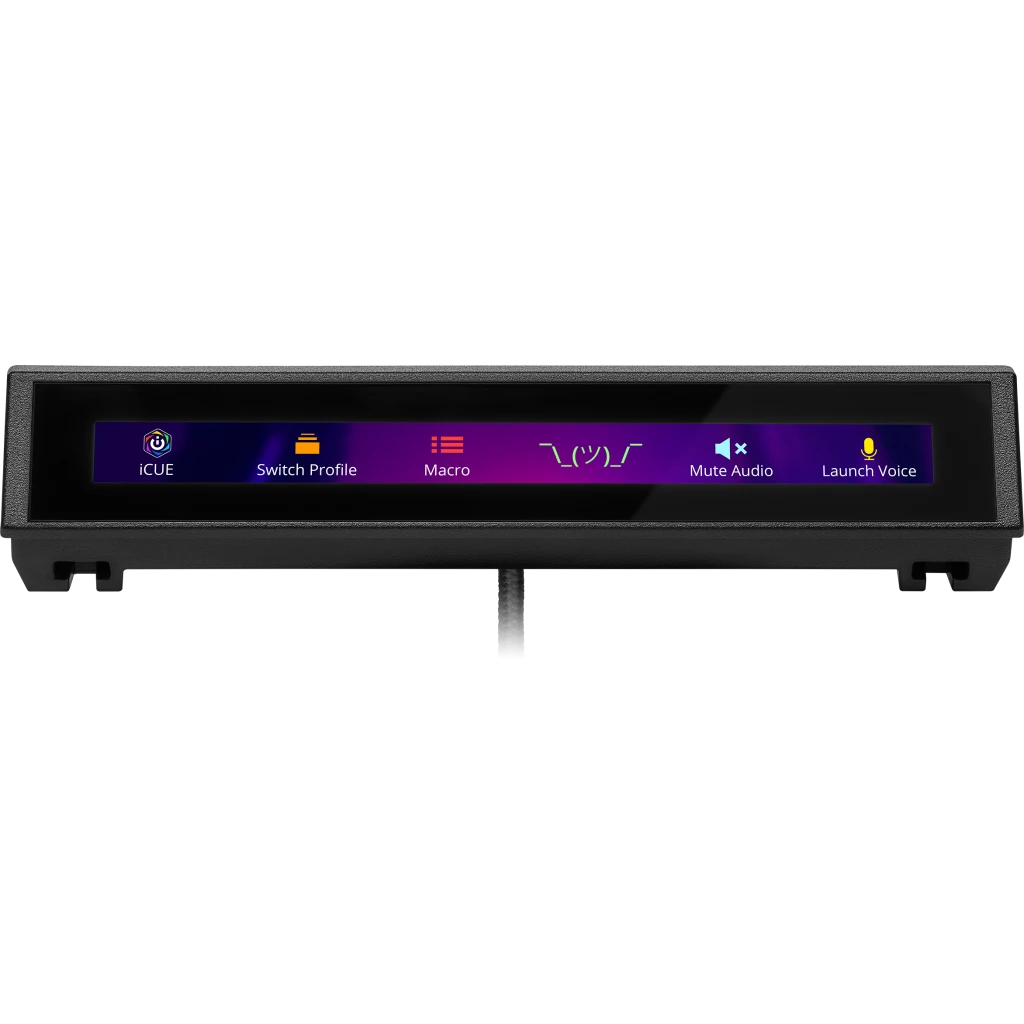
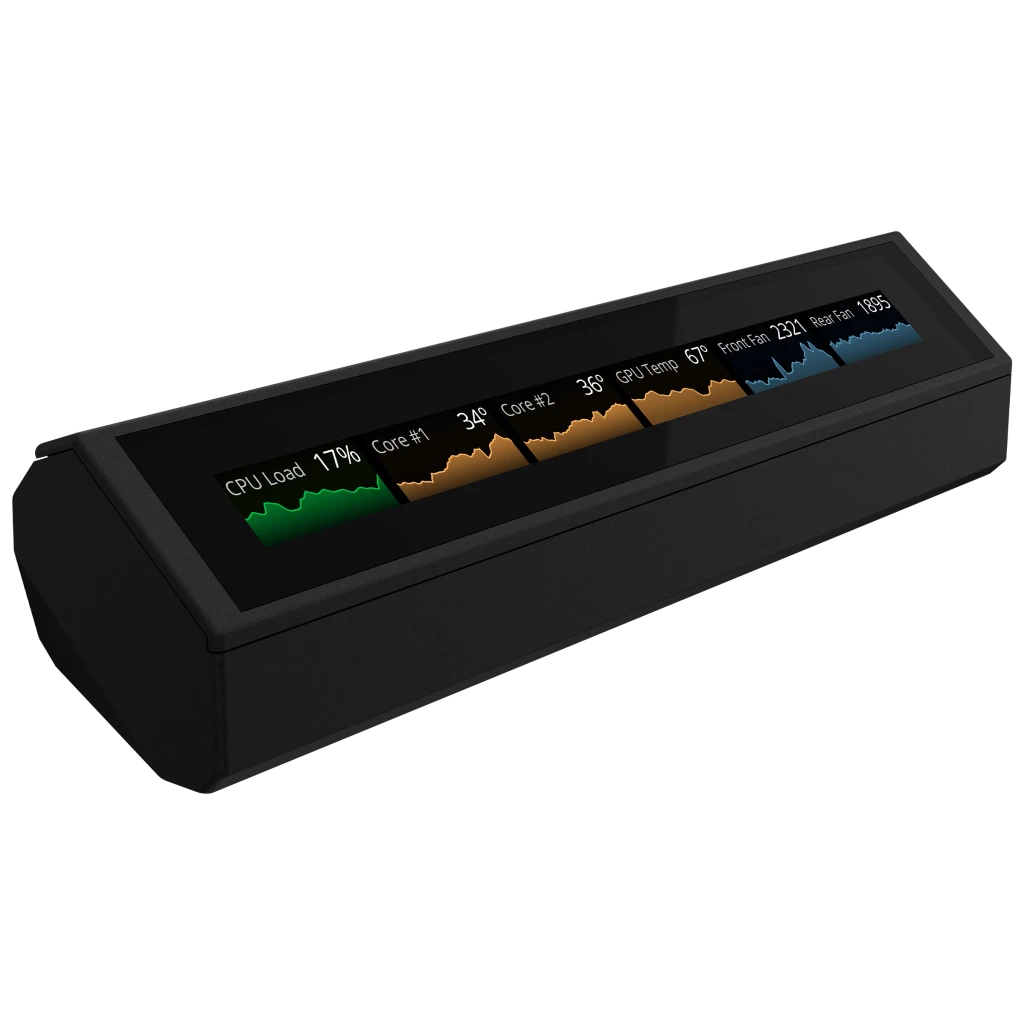


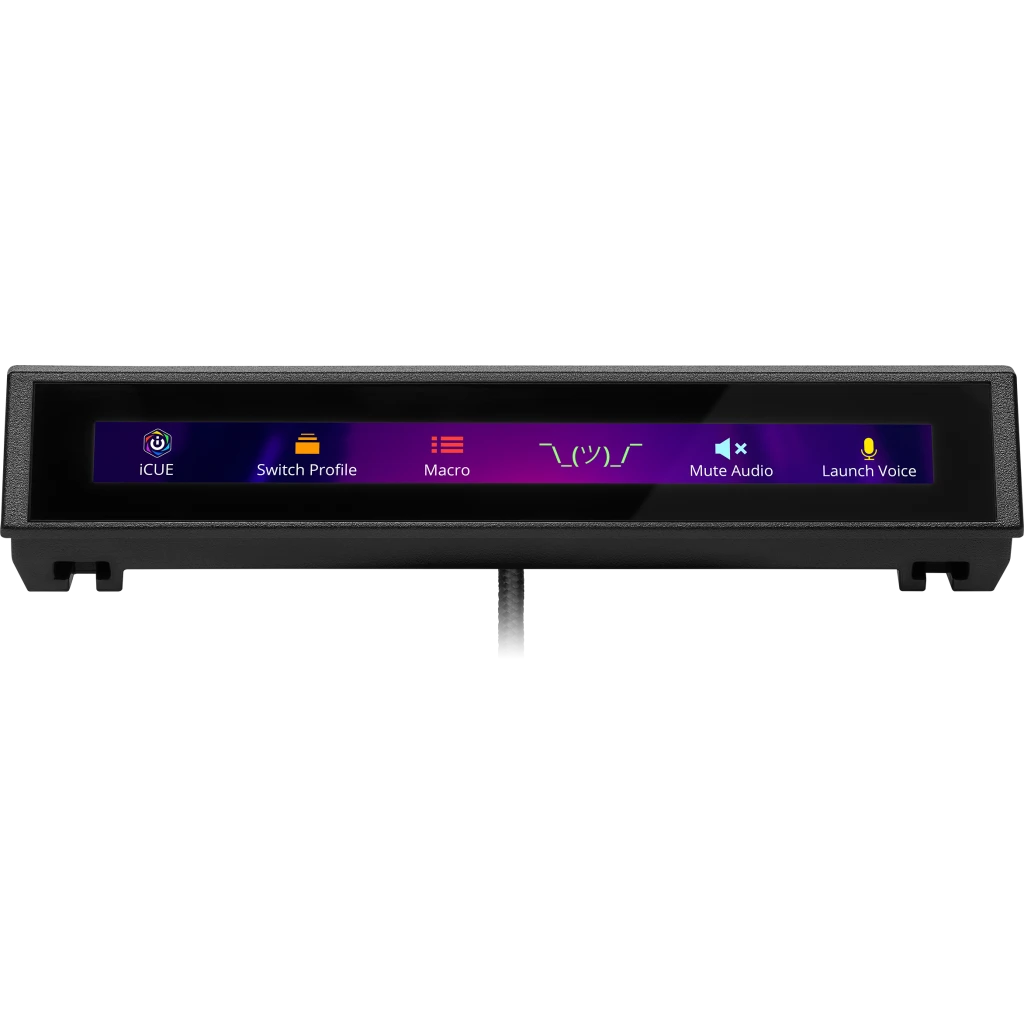
Even if you aren’t already in the iCUE ecosystem or don’t own a compatible Corsair keyboard, the iCUE Nexus Companion Touch Screen remains a worthwhile investment. Additionally, it comes with an optional standalone base, which allows it to function independently. By connecting it via a USB 2.0 port, you gain access to a five-inch diagonal LCD screen that offers various customizable options. Consequently, you can effortlessly switch between different screens and control your PC seamlessly. Furthermore, this setup ensures that the device occupies minimal desk space, thereby enhancing your workspace efficiency.
| Specification | Details |
|---|---|
| Screen Size | 5″ Diagonal |
| Resolution | 640×48 pixels |
| Aspect Ratio | 40:3 |
| Frame Rate | 24 FPS |
| Screen Color | RGB, 262K colors |
| Backlighting | Yes, adjustable |
| Touch Screen | Yes, single-point capacitive |
| Programmable Buttons | Up to 6 virtual buttons |
| Chassis | Plastic |
| Color | Black |
| Connectivity | USB 2.0 Type-A |
| Onboard Memory | No |
| Plug-and-Play | No, requires iCUE software |
| OS Compatibility | Windows 10 |
| iCUE Software | Supported, requires Windows 10 |
| Cable | 1.82 m / 6 ft, braided on standalone base |
| Dimensions (w/o base) | 154 x 35 x 16 mm / 6.07 x 1.38 x 0.63 inches |
| Weight (w/o base) | 60 g / 0.14 lbs |
| Warranty | 2 years |

Packaging and Accessories
Packaging and Accessories
The packaging for the iCUE NEXUS maintains the recognizable CORSAIR design. On the front, you’ll find the company logo, product name, and a visual of the iCUE NEXUS in action, mounted on a keyboard. Moreover, the back showcases additional images that illustrate the screen’s diverse functionalities. For instance, it includes product placements such as CORSAIR’s sponsorship of the Rainbow Six Siege Pro League, featuring a custom game screen. Additionally, specifications and marketing highlights are presented in multiple languages. Finally, two seals secure the outer sleeve around the inner box, ensuring the packaging remains intact.
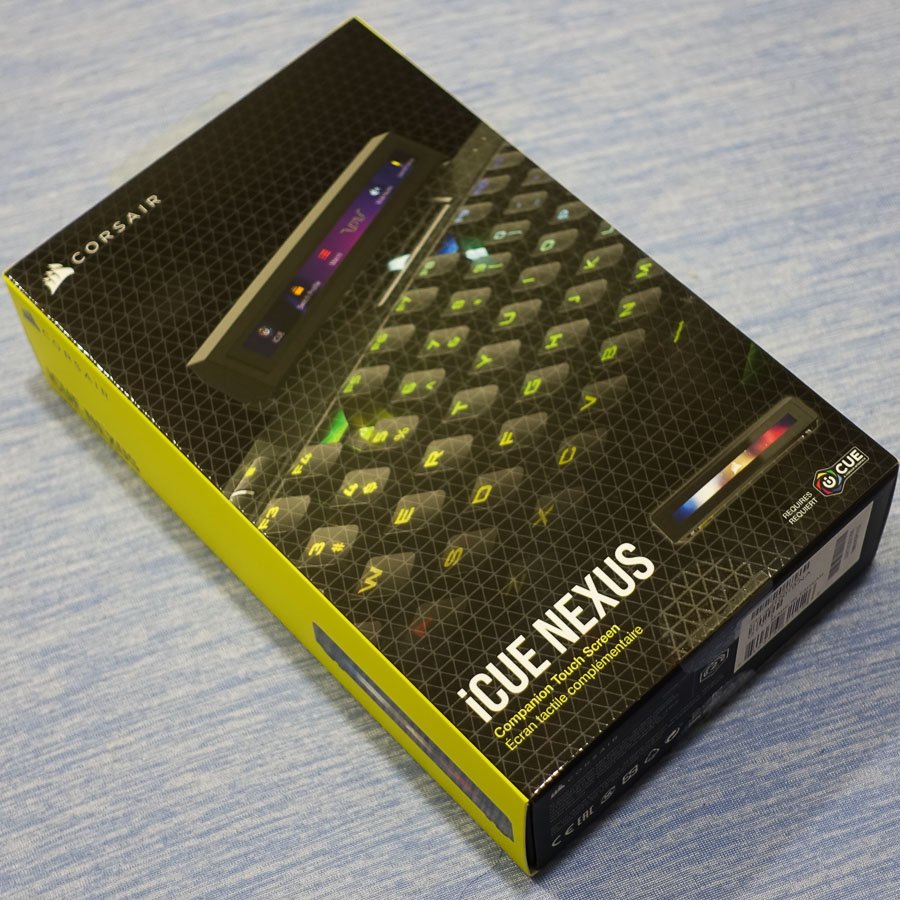
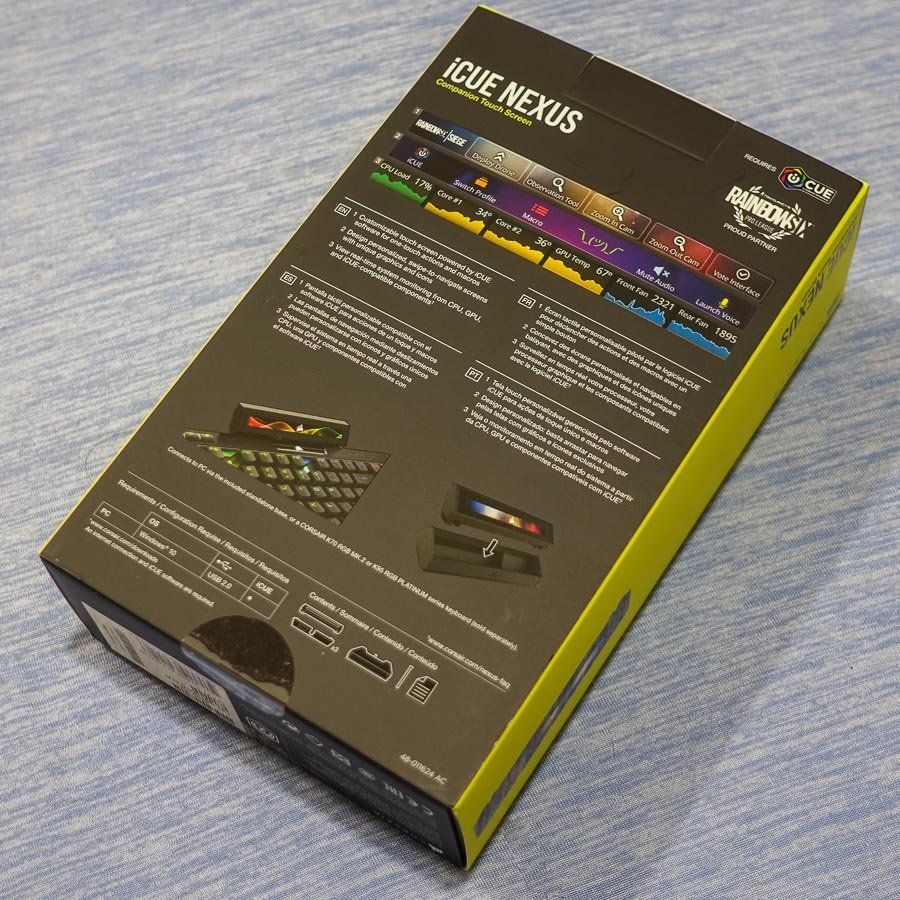

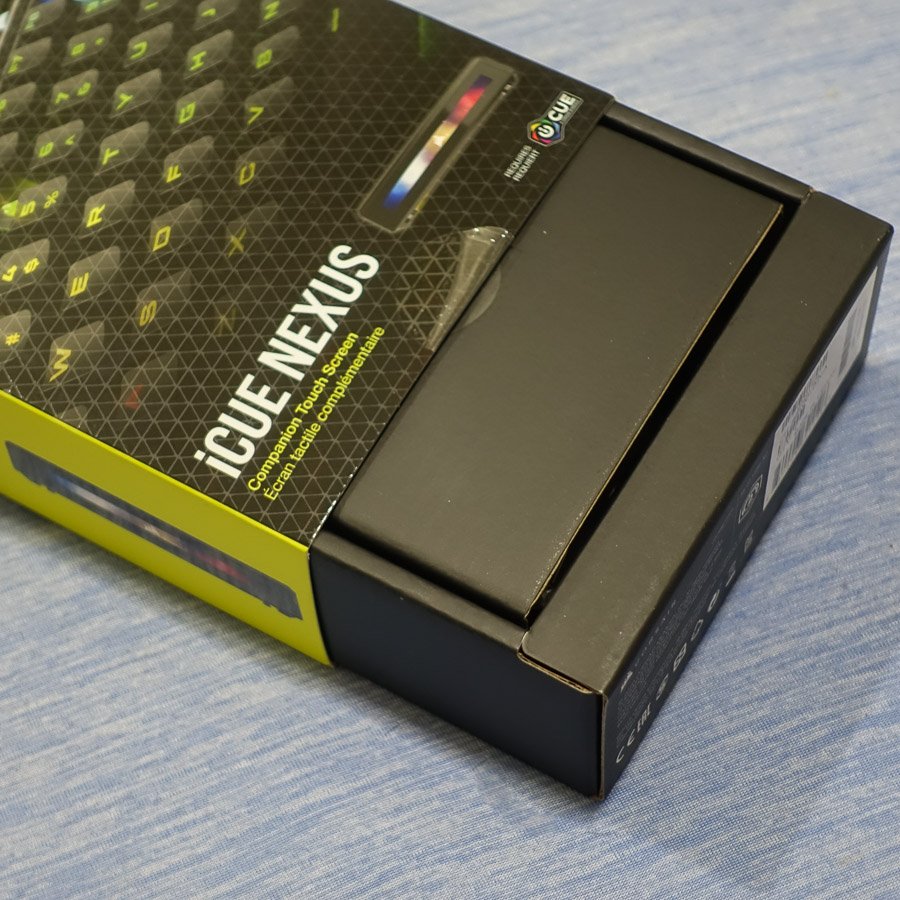
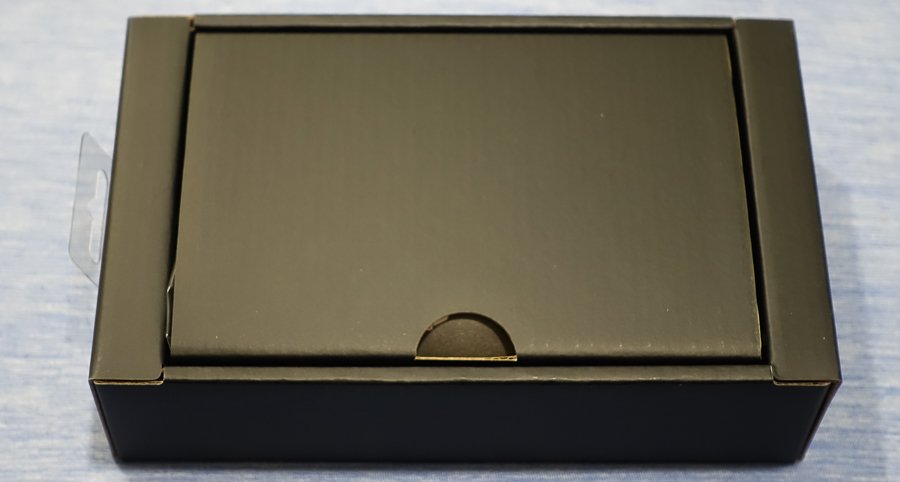
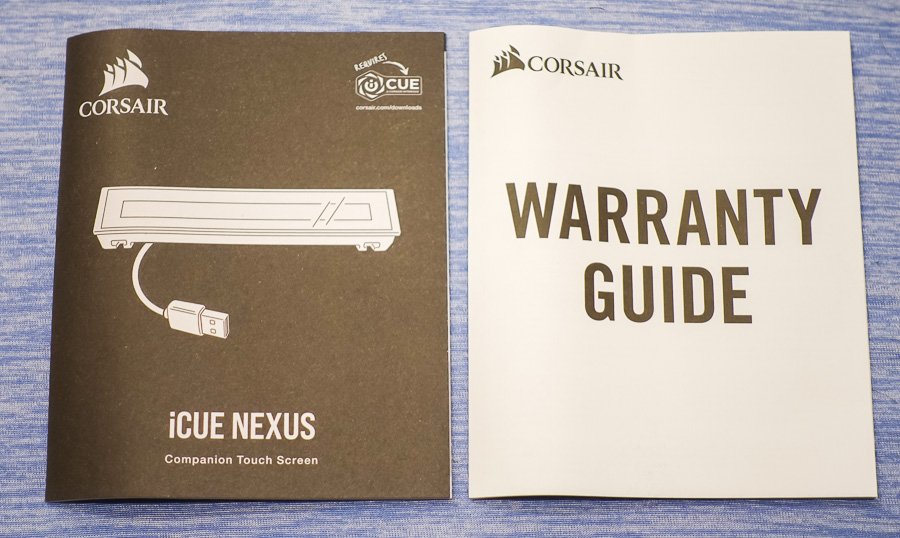
Inside, the inner box is minimalist, focusing more on practicality than aesthetics. Specifically, a convenient notch facilitates easy opening, revealing the included documentation. Inside, you’ll discover CORSAIR’s standard warranty guide, which covers two years in most regions. Additionally, there is a manual that provides detailed setup and usage tips for the iCUE NEXUS. Therefore, it’s worth reading through, especially if you’re unfamiliar with the iCUE ecosystem, to fully benefit from the device.

Beneath the cardboard divider, you’ll find the product itself, along with its base and accessories. Specifically, these include three mounting brackets for attaching the iCUE NEXUS to compatible keyboards, as well as 3M double-sided tape, similar to what is used on the iCUE LT100 headset holder. Furthermore, a plastic prying tool is included, which makes it easier to remove the bracket if you decide to detach it from the keyboard in the future.


Initial Setup
Initial Setup
The Corsair iCUE NEXUS can be placed on your desk using either the standalone base or by attaching it to the back of a compatible keyboard, such as the Corsair K70 RGB MK.2 or K95 RGB PLATINUM series, with the included mounting brackets. For the standalone base setup, the process is quick and feels secure, thanks to its non-slip rubber base. Conversely, mounting it to the K95 RGB PLATINUM XT keyboard involves a few more steps; however, it remains straightforward.
Moreover, the pre-attached adhesive strips on the bracket provide strong support. Corsair recommends waiting 24 hours for the adhesive to set before using the touchscreen, which ensures a more stable attachment. Additionally, the package includes a removal tool for easy detachment later if needed. Once the bracket is securely mounted, the NEXUS simply slides into place.
Afterwards, by connecting the Corsair iCUE NEXUS to your system via USB—either through the keyboard passthrough or the standalone base—you can then launch the iCUE software and begin exploring the device’s features.
iCUE Integration and Customization
iCUE Integration and Customization
As expected from a product with “iCUE” in its name, the Corsair iCUE NEXUS integrates seamlessly with the latest version of the software. It provides a range of customization options, including:
- Navigating and adding screens: Easily switch between or create new screens.
- Adding elements: Incorporate buttons and monitoring widgets as needed.
- Screen customization: Adjust backgrounds, names, and even copy or delete screens.
- Screen arrangement: Reorder screens and modify their views.
- Device widget screens: Auto-enabled controls are available for iCUE devices.
- Button library: Create and save buttons for reuse across different screens.
- Widgets list: Drag-and-drop available widgets onto any screen.
- Import/export screens: Quickly add or share pre-made screens with friends.
While the images in this review are informative, they barely scratch the surface of what the iCUE NEXUS can achieve. In fact, with the ability to create up to 200 separate screens, each featuring up to six virtual buttons, the customization options are almost endless. Moreover, Corsair plans to offer pre-made screens for games, with shortcuts displayed as touchscreen buttons, which further expands its functionality.
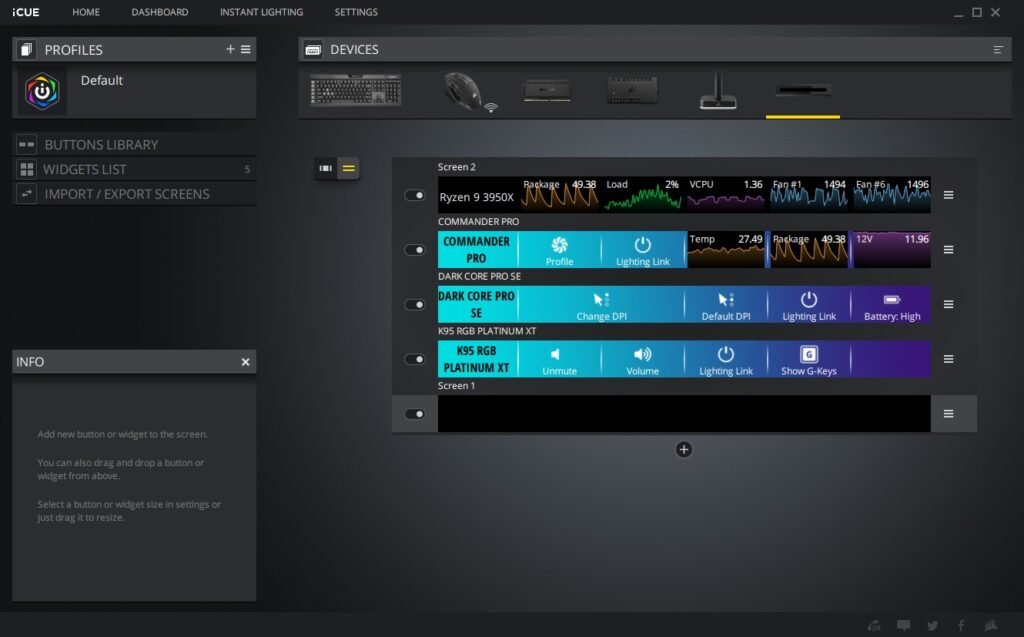


Additionally, the convenience of having dedicated screens for each connected iCUE device—such as liquid cooling systems, real-time CPU and GPU temperatures, and fan speeds—makes this a valuable tool for monitoring your system, even while gaming or working.
Final Thoughts
Final Thoughts
The Corsair iCUE Nexus caters to a niche market, primarily targeting Corsair peripheral users or those looking to dive deeper into the iCUE ecosystem. Although there’s much to appreciate about a customizable touch screen for PC control, the hardware could benefit from some refinement. For example, the large bezels, limited viewing angles, and adhesive installation (which currently supports only two keyboard models) contribute to a somewhat first-generation feel.
Nevertheless, the Corsair iCUE Nexus remains a useful and enjoyable device. While it may leave some users hoping for a 2.0 version, its features still hold undeniable appeal. Specifically, if you’re hesitant about spending $100 on a keyboard accessory that performs tasks your monitor can already handle, that’s understandable. However, the ability to change lighting settings with a tap, launch your favorite games or websites, and enjoy an additional display to enhance your workflow significantly justifies the investment.
Discover additional interesting Corsair items here
GGS – Related Articles:
Responses to “Corsair iCUE NEXUS Companion Touch Screen”
-
Алкогольная интоксикация и запой могут стремительно ухудшить состояние здоровья, став угрозой жизни, поэтому оперативное вмешательство имеет первостепенное значение. В Туле квалифицированные наркологи предоставляют круглосуточную помощь на дому, что позволяет начать лечение незамедлительно и в комфортных условиях. Такой формат терапии гарантирует индивидуальный подход, всестороннюю поддержку и полную конфиденциальность, что особенно важно для пациентов, стремящихся восстановить своё здоровье без лишних стрессовых ситуаций.
Подробнее можно узнать тут – [url=https://vyvod-iz-zapoya-tula000.ru/]нарколог вывод из запоя тула[/url] -
Вывод из запоя — это всегда баланс между скоростью и безопасностью. Дома трудно заметить скрытые ухудшения, особенно ночью: давление и пульс «гуляют», нарастает обезвоживание, сон рваный и тревожный. В «Трезвом Контуре» этот хаос замещается управляемостью: перед выездом дежурный врач собирает ключевые данные (длительность эпизода, лекарства, аллергии, сопутствующие болезни), на месте проводится экспресс-диагностика (АД, ЧСС, сатурация, температура, неврологический статус, степень обезвоживания), затем запускается схема терапевтической поддержки. Мы постоянно «подстраиваем» инфузии по реакции организма, а не по шаблонной карте: где-то важнее регидратация, где-то — коррекция электролитов, где-то — бережная седация для ночи. Для семьи это значит одно: меньше догадок, больше ясности. Если по картине риски высоки, мы аргументированно предлагаем стационар в Одинцово — и организуем транспортировку без пауз, потому что цена задержки в такие часы всегда выше.
Ознакомиться с деталями – [url=https://vyvod-iz-zapoya-odincovo10.ru/]нарколог вывод из запоя[/url] -
Формат
Ознакомиться с деталями – [url=https://narkologicheskaya-klinika-odincovo0.ru/]lechenie-v-narkologicheskoj-klinike[/url] -
Ключевым фактором при выборе центра становится квалификация специалистов. Лечение алкоголизма — это не только выведение из запоя и купирование абстинентного синдрома. Оно включает работу с мотивацией, тревожными состояниями, семейными конфликтами, нарушением сна и другими последствиями зависимости. Только команда, включающая наркологов, психотерапевтов и консультантов по аддиктивному поведению, способна охватить все аспекты проблемы.
Изучить вопрос глубже – https://lechenie-alkogolizma-murmansk0.ru/ -
Клиника «КузбассМед Центр» в Новокузнецке обеспечивает непрерывный приём пациентов и выезд нарколога на дом. Такой формат позволяет оказать экстренную помощь при интоксикации или запое прямо на месте, не дожидаясь ухудшения состояния. Медицинская команда работает в режиме 24/7, что особенно важно при острых состояниях. Врач выезжает в течение часа после вызова, проводит диагностику, ставит капельницу и контролирует жизненные показатели. В стационаре доступны детоксикация, медикаментозная терапия и психотерапевтическая поддержка — всё под постоянным медицинским наблюдением.
Подробнее тут – [url=https://narkologicheskaya-klinika-v-novokuzneczke17.ru/]анонимная наркологическая клиника в новокузнецке[/url] -
Wow, that’s what I was searching for, what a data! existing here at this webpage, thanks admin of this web site.
-
Клиника «АнтиАлко» предлагает экстренную медицинскую помощь на дому в Новосибирске и Новосибирской области для тех, кто столкнулся с запоем. Если вы или ваш близкий оказались в состоянии длительной алкогольной интоксикации, наши специалисты готовы оперативно приехать к вам, провести комплексную детоксикацию и купировать симптомы абстинентного синдрома. Мы гарантируем высокий уровень безопасности, полную анонимность и индивидуальный подход к каждому пациенту.
Исследовать вопрос подробнее – [url=https://vyvod-iz-zapoya-novosibirsk00.ru/]вывод из запоя в стационаре[/url] -
Клиника использует многоступенчатый подход, который позволяет адаптировать лечение под особенности организма пациента. Наблюдение продолжается даже после завершения детоксикации, чтобы убедиться, что состояние стабильно и не требуется дополнительное вмешательство. При необходимости врач назначает курс поддержки печени, витаминов и препаратов для восстановления сна и психоэмоционального равновесия.
Углубиться в тему – [url=https://vyvod-iz-zapoya-v-volgograde17.ru/]врач вывод из запоя[/url] -
Наркологическая помощь в «ВолгаМед Тольятти» включает широкий спектр процедур и методик. Каждый случай рассматривается индивидуально, с учётом состояния пациента, стадии заболевания и сопутствующих факторов. Ниже представлена таблица с основными направлениями медицинской работы.
Выяснить больше – [url=https://narkologicheskaya-pomoshh-v-tolyatti17.ru/]частная наркологическая помощь[/url] -
Такая структура делает лечение последовательным и предсказуемым, повышая шансы на положительный исход.
Подробнее можно узнать тут – [url=https://narkologicheskaya-klinika-v-omske0.ru/]www.domen.ru[/url] -
Как подчёркивает специалист ФГБУ «НМИЦ психиатрии и наркологии», «без участия квалифицированной команды невозможно обеспечить комплексный подход к пациенту, особенно если речь идёт о длительном стаже употребления и осложнённой картине заболевания». Отсюда следует — изучение состава персонала должно быть одним из первых шагов.
Получить дополнительные сведения – https://lechenie-alkogolizma-murmansk0.ru/lechenie-khronicheskogo-alkogolizma-marmansk -
Комплексный вывод из запоя в Туле организован по отлаженной схеме, состоящей из нескольких этапов, каждый из которых направлен на безопасное и эффективное восстановление организма.
Разобраться лучше – [url=https://vyvod-iz-zapoya-tula000.ru/]вывод из запоя недорого в туле[/url] -
Маршрут начинается с короткого скрининга, чтобы понять риски и условия дома. Мы согласуем окно приезда или время приёма, заранее подскажем, как подготовить пространство: тишина, доступ к воде и розетке, возможность прилечь. На месте врач фиксирует витальные показатели (АД, пульс, сатурация, температура), при показаниях выполняет ЭКГ и запускает детокс-терапию. Уже на старте вы получаете письменную памятку «на сутки»: режим сна и гидратации, «красные флажки» и точное время контрольной связи. Если домашний формат перестаёт быть достаточным, организуем перевод в стационар без пауз — темп лечения сохраняется.
Получить дополнительную информацию – [url=https://narkologicheskaya-klinika-korolyov0.ru/]narkologicheskaya-klinika-nedorogo[/url] -
Комплексный подход к выводу из запоя на дому в Ярославле включает несколько основных этапов, которые позволяют обеспечить оперативное и безопасное лечение:
Узнать больше – [url=https://vyvod-iz-zapoya-yaroslavl0.ru/]вывод из запоя ярославская область[/url] -
Первым шагом при лечении зависимости является детоксикация — очищение организма от токсинов, накопившихся в результате употребления алкоголя или наркотиков. Врач подбирает состав инфузионных растворов и лекарственных препаратов индивидуально. Процедура направлена на восстановление обмена веществ, улучшение работы печени и сердца, нормализацию сна и аппетита. После завершения детоксикации пациент чувствует облегчение, снижается тревожность и повышается концентрация внимания.
Узнать больше – [url=https://narkologicheskaya-klinika-v-volgograde17.ru/]наркологическая клиника стационар волгоград[/url] -
Услуга вывода из запоя на дому в Туле разработана для тех, кто столкнулся с тяжелыми последствиями злоупотребления алкоголем. Основная цель – оперативная детоксикация организма, восстановление нормального обмена веществ и предотвращение дальнейших осложнений. Врач нарколог проводит полный комплекс обследований и назначает персонализированный план лечения, включающий медикаментозную терапию и психологическую поддержку, что позволяет обеспечить стабильное восстановление организма.
Выяснить больше – [url=https://vyvod-iz-zapoya-tula000.ru/]срочный вывод из запоя тула[/url] -
Ниже — краткий ориентир, который помогает семье понимать логику рекомендаций до очного осмотра. Это не «замена врачу», а понятная рамка для принятия решения о старте.
Изучить вопрос глубже – https://narkologicheskaya-klinika-ehlektrostal0.ru/narkologicheskaya-klinika-ceny-v-ehlektrostali -
Сначала — короткое интервью по телефону: адрес в Одинцово, длительность запоя, препараты, хронические заболевания, аллергии. Это экономит 15–20 минут на месте и помогает заранее спланировать безопасные дозы. По прибытии — осмотр, запуск инфузий и параллельная симптоматическая терапия: противорвотные при тошноте, анксиолитики при тревоге, аккуратная седация к ночи, если есть бессонница. Мы не «усыпляем» пациента — поддерживаем контакт для информативного мониторинга. На протяжении процедуры фиксируем динамику, регулируем скорость капельниц, выстраиваем щадящую гидратацию и лёгкое питание. Если картина меняется, быстро перестраиваем план. На выходе — письменные рекомендации и маршрут продолжения (амбулаторные визиты, дневной стационар или полноценное отделение). Такой алгоритм убирает случайность результата: эффект держится не на удаче, а на чётких действиях команды и дисциплине первых суток.
Подробнее можно узнать тут – http://vyvod-iz-zapoya-odincovo10.ru -
Экстренный вызов нарколога на дом в Иркутске от «ТрезвоМед» при запое, интоксикации или кодировании – анонимно и удобно. Осмотр, детоксикация капельницей, индивидуальный план лечения – все это на дому! «ТрезвоМед» – круглосуточная помощь, анонимность и безопасность при отказе от алкоголя. Не можете бросить пить самостоятельно? Нужна помощь нарколога! Васильев: «Своевременная помощь при интоксикации – залог успешного выздоровления».
Ознакомиться с деталями – [url=https://narcolog-na-dom-v-irkutske0.ru/narkolog-na-dom-czena-irkutsk/]narcolog-na-dom-v-irkutske0.ru/narkolog-na-dom-czena-irkutsk/[/url] -
Наркологическая клиника «МедЛайн» предоставляет профессиональные услуги врача-нарколога с выездом на дом в Новосибирске и Новосибирской области. Мы оперативно помогаем пациентам справиться с тяжелыми состояниями при алкогольной и наркотической зависимости. Экстренный выезд наших специалистов доступен круглосуточно, а лечение проводится с применением проверенных методик и препаратов, что гарантирует безопасность и конфиденциальность каждому пациенту.
Углубиться в тему – [url=https://narcolog-na-dom-novosibirsk00.ru/]выезд нарколога на дом в новосибирске[/url] -
Клиника использует многоступенчатый подход, который позволяет адаптировать лечение под особенности организма пациента. Наблюдение продолжается даже после завершения детоксикации, чтобы убедиться, что состояние стабильно и не требуется дополнительное вмешательство. При необходимости врач назначает курс поддержки печени, витаминов и препаратов для восстановления сна и психоэмоционального равновесия.
Получить больше информации – https://vyvod-iz-zapoya-v-volgograde17.ru/vyvod-iz-zapoya-na-domu-voronezh/ -
Такой подход позволяет добиться устойчивого эффекта и минимизировать риск возврата к зависимому поведению.
Узнать больше – http://narkologicheskaya-klinika-v-volgograde17.ru/narkologicheskaya-pomoshh-volgograd/https://narkologicheskaya-klinika-v-volgograde17.ru -
Наркологическая помощь в «ВолгаМед Тольятти» включает широкий спектр процедур и методик. Каждый случай рассматривается индивидуально, с учётом состояния пациента, стадии заболевания и сопутствующих факторов. Ниже представлена таблица с основными направлениями медицинской работы.
Разобраться лучше – [url=https://narkologicheskaya-pomoshh-v-tolyatti17.ru/]скорая наркологическая помощь на дому[/url] -
Клиника «АнтиАлко» предлагает экстренную медицинскую помощь на дому в Новосибирске и Новосибирской области для тех, кто столкнулся с запоем. Если вы или ваш близкий оказались в состоянии длительной алкогольной интоксикации, наши специалисты готовы оперативно приехать к вам, провести комплексную детоксикацию и купировать симптомы абстинентного синдрома. Мы гарантируем высокий уровень безопасности, полную анонимность и индивидуальный подход к каждому пациенту.
Углубиться в тему – [url=https://vyvod-iz-zapoya-novosibirsk00.ru/]вывод из запоя на дому цена новосибирск[/url] -
Что получите за 24 часа
Разобраться лучше – https://narkologicheskaya-klinika-domodedovo0.ru/narkologicheskaya-klinika-stacionar-v-domodedovo -
На этом этапе специалист уточняет, сколько времени продолжается запой, какие основные симптомы наблюдаются, и если имеются, то какие хронические заболевания могут влиять на течение терапии. Точный анализ этих данных позволяет сформировать персонализированную стратегию лечения, которая будет максимально адаптирована к состоянию пациента и его потребностям.
Разобраться лучше – [url=https://vyvod-iz-zapoya-yaroslavl0.ru/]вывод из запоя цена ярославль[/url] -
Выбор помощи на дому имеет ряд значительных преимуществ:
Подробнее можно узнать тут – http://vyvod-iz-zapoya-tula0.ru -
Если требуется срочное кодирование или детоксикация, вызов нарколога на дом – лучшее решение в Иркутске. Профессиональный нарколог приедет, оценит состояние, проведет детоксикацию на дому. «ТрезвоМед»: анонимный выезд нарколога 24/7, помощь при отказе от алкоголя. Тяжело бросить пить в одиночку? Обратитесь к наркологу! Главное – быстро оказать помощь при интоксикации, – нарколог Васильев.
Детальнее – https://narcolog-na-dom-v-irkutske0.ru/vyzov-narkologa-na-dom-irkutsk/ -
Ниже — краткий ориентир, который помогает семье понимать логику рекомендаций до очного осмотра. Это не «замена врачу», а понятная рамка для принятия решения о старте.
Разобраться лучше – [url=https://narkologicheskaya-klinika-ehlektrostal0.ru/]наркологическая клиника помощь на дому[/url] -
Вывод из запоя — это всегда баланс между скоростью и безопасностью. Дома трудно заметить скрытые ухудшения, особенно ночью: давление и пульс «гуляют», нарастает обезвоживание, сон рваный и тревожный. В «Трезвом Контуре» этот хаос замещается управляемостью: перед выездом дежурный врач собирает ключевые данные (длительность эпизода, лекарства, аллергии, сопутствующие болезни), на месте проводится экспресс-диагностика (АД, ЧСС, сатурация, температура, неврологический статус, степень обезвоживания), затем запускается схема терапевтической поддержки. Мы постоянно «подстраиваем» инфузии по реакции организма, а не по шаблонной карте: где-то важнее регидратация, где-то — коррекция электролитов, где-то — бережная седация для ночи. Для семьи это значит одно: меньше догадок, больше ясности. Если по картине риски высоки, мы аргументированно предлагаем стационар в Одинцово — и организуем транспортировку без пауз, потому что цена задержки в такие часы всегда выше.
Выяснить больше – [url=https://vyvod-iz-zapoya-odincovo10.ru/]вывод из запоя капельница[/url] -
В клинике применяются комплексные программы, охватывающие все стадии терапии. Такой подход позволяет обеспечить пациенту полный спектр помощи — от первой консультации до социальной адаптации.
Подробнее тут – [url=https://narcologicheskaya-klinika-omsk0.ru/]наркологическая клиника нарколог[/url] -
Такая форма помощи позволяет избежать осложнений, которые часто сопровождают попытки снять симптомы самостоятельно. При правильном подборе препаратов уже через час наблюдается улучшение самочувствия: уходит головная боль, снижается тревога, стабилизируется сердцебиение и восстанавливается ясность мышления. Пациент получает рекомендации по питанию, режиму отдыха и приёму витаминов, чтобы закрепить результат и предотвратить повторный срыв.
Получить больше информации – [url=https://narkolog-na-dom-v-voronezhe17.ru/]нарколог на дом вывод в воронеже[/url] -
В этом тексте собрано множество случайных сведений и довольно неопределённых мыслей, которые могут чем-то заинтересовать. Мы отмечаем моменты, которые не особенно важны, но всё же занимают своё место в повествовании.
Вот – [url=https://arma-rehab.ru/]секс[/url] -
После завершения инфузий врач-нарколог даёт рекомендации по питанию, водному балансу и образу жизни. При необходимости пациенту назначается курс поддерживающей терапии для закрепления эффекта.
Исследовать вопрос подробнее – [url=https://narkologicheskaya-pomoshh-v-tolyatti17.ru/]неотложная наркологическая помощь тольятти[/url] -
Не всегда человек способен самостоятельно прекратить приём алкоголя и восстановиться. Есть состояния, требующие немедленного вмешательства специалистов. Обратиться за помощью необходимо, если наблюдаются следующие признаки:
Исследовать вопрос подробнее – [url=https://vyvod-iz-zapoya-v-volgograde17.ru/]вывод из запоя на дому круглосуточно волгоград[/url] -
Пациенты выбирают нашу клинику для срочного вызова врача-нарколога благодаря следующим важным преимуществам:
Исследовать вопрос подробнее – [url=https://narcolog-na-dom-novosibirsk00.ru/]narcolog-na-dom-novosibirsk00.ru/[/url] -
Действие и назначение
Получить дополнительные сведения – [url=https://vyvod-iz-zapoya-novosibirsk00.ru/]вывод из запоя цена новосибирск.[/url] -
Что получите за 24 часа
Углубиться в тему – [url=https://narkologicheskaya-klinika-domodedovo0.ru/]анонимная наркологическая помощь домодедово[/url] -
Услуга вывода из запоя на дому в Туле разработана для тех, кто столкнулся с тяжелыми последствиями злоупотребления алкоголем. Основная цель – оперативная детоксикация организма, восстановление нормального обмена веществ и предотвращение дальнейших осложнений. Врач нарколог проводит полный комплекс обследований и назначает персонализированный план лечения, включающий медикаментозную терапию и психологическую поддержку, что позволяет обеспечить стабильное восстановление организма.
Получить больше информации – [url=https://vyvod-iz-zapoya-tula000.ru/]вывод из запоя анонимно[/url] -
Сразу после вызова нарколог прибывает на дом для проведения детального осмотра. На этом этапе специалист измеряет жизненно важные показатели, собирает анамнез и оценивает степень алкогольной интоксикации, что является основой для составления персонального плана лечения.
Исследовать вопрос подробнее – [url=https://vyvod-iz-zapoya-tula0.ru/]vyvod-iz-zapoya tula[/url] -
Мы строим лечение вокруг предсказуемости: минимум лишних вопросов, максимум конкретики и понятный план на ближайшие сутки. Дежурный врач уточняет только то, что влияет на безопасность — длительность эпизода, актуальные лекарства и переносимость, сон и апетит, наличие поддержки дома. Из этого скелета рождается маршрут: выезд на дом, приём без очередей или стационар с наблюдением 24/7. Конфиденциальность встроена по умолчанию: нейтральная коммуникация, доступ к карте только у вовлечённой команды, документы по запросу — в нейтральных формулировках. Внешний шум гасим, внимание переводим на цель: ровная стабилизация без «качелей» и с понятными контрольными точками.
Выяснить больше – http://narkologicheskaya-klinika-domodedovo0.ru/chastnaya-narkologicheskaya-klinika-v-domodedovo/ -
Алкогольная интоксикация и запой могут стремительно ухудшить состояние здоровья, став угрозой жизни, поэтому оперативное вмешательство имеет первостепенное значение. В Туле квалифицированные наркологи предоставляют круглосуточную помощь на дому, что позволяет начать лечение незамедлительно и в комфортных условиях. Такой формат терапии гарантирует индивидуальный подход, всестороннюю поддержку и полную конфиденциальность, что особенно важно для пациентов, стремящихся восстановить своё здоровье без лишних стрессовых ситуаций.
Изучить вопрос глубже – [url=https://vyvod-iz-zapoya-tula000.ru/]вывод из запоя анонимно в туле[/url] -
После поступления вызова наш нарколог выезжает к пациенту в кратчайшие сроки, прибывая по адресу в пределах 30–60 минут. Специалист начинает процедуру с подробного осмотра и диагностики, измеряя ключевые показатели организма: артериальное давление, частоту пульса, насыщенность кислородом и собирая подробный анамнез.
Получить дополнительную информацию – [url=https://narcolog-na-dom-novosibirsk00.ru/]narkolog-na-dom novosibirsk[/url] -
Врач уточняет, как долго продолжается запой, какой алкоголь употребляется, а также наличие сопутствующих заболеваний. Этот тщательный анализ позволяет оперативно подобрать оптимальные методы детоксикации и снизить риск осложнений.
Узнать больше – [url=https://vyvod-iz-zapoya-tula0.ru/]вывод из запоя анонимно тула[/url] -
Клиника обеспечивает анонимность и безопасность. Информация о пациентах не передаётся третьим лицам, а процедуры выполняются в комфортных условиях с использованием сертифицированных препаратов и современного оборудования.
Разобраться лучше – https://narkologicheskaya-klinika-v-novokuzneczke17.ru/ -
Инфузионная терапия подбирается под человека, а не под «среднюю» ситуацию. Базовый каркас обычно включает растворы для регидратации и коррекции электролитов, витамины группы B и магний для поддержки нервной системы. По показаниям добавляются гепатопротекторы и антиоксидантные компоненты — это помогает печени и снижает оксидативный стресс. Если есть выраженная тошнота, подключаем противорвотные; при тревоге и нарушении сна — мягкие анксиолитики и седативные препараты, которые не «вырубают», а выравнивают ритмы и сохраняют контакт для мониторинга. Мы избегаем агрессивных «миксов», потому что избыточная седация может скрыть опасные симптомы и усложнить оценку состояния. Эффективность оцениваем не только по субъективному облегчению, но и по объективным метрикам: пульс, давление, сатурация, динамика тремора, аппетит, качество сна. Как только показатели стабилизируются, фарм-нагрузка снижается, а ведущую роль берет режим — питание, гидратация, спокойный вечерний ритуал, короткие бытовые активности.
Изучить вопрос глубже – [url=https://vyvod-iz-zapoya-krasnogorsk10.ru/]вывод из запоя на дому красногорск[/url] -
Наркологическая помощь в современном формате — это комплексное лечение зависимостей и состояний интоксикации с индивидуальным подходом к каждому пациенту. В клинике «ВолгаМед Тольятти» круглосуточно работают врачи-наркологи, психиатры и реабилитологи, готовые оказать поддержку в любой момент. Применяются сертифицированные препараты, проверенные методики и психологическое сопровождение. При этом особое внимание уделяется анонимности и безопасности пациента: информация не передаётся третьим лицам, а лечение проводится строго конфиденциально.
Подробнее тут – [url=https://narkologicheskaya-pomoshh-v-tolyatti17.ru/]срочная наркологическая помощь[/url] -
Капельницы при выводе из запоя — основной инструмент детоксикации. Они очищают кровь, стабилизируют давление и восстанавливают баланс электролитов. В клинике «РеабКузбасс» используются только качественные препараты, адаптированные под конкретное состояние пациента. Ниже приведена таблица с основными видами капельниц и их эффектом.
Исследовать вопрос подробнее – [url=https://vyvod-iz-zapoya-v-novokuzneczke17.ru/]вывод из запоя на дому недорого[/url] -
В зависимости от состояния пациента и пожеланий семьи наркологическая помощь может быть оказана в одном из нескольких форматов: на дому, в стационаре или дистанционно. Каждый из форматов обеспечивает доступ к медицинской помощи без бюрократии и с сохранением полной конфиденциальности.
Детальнее – [url=https://narkologicheskaya-pomoshh-omsk0.ru/]анонимная наркологическая помощь омск[/url] -
Формат
Разобраться лучше – [url=https://narkologicheskaya-klinika-ehlektrostal0.ru/]narkologicheskaya-klinika-nedorogo[/url]






Leave a Comment