


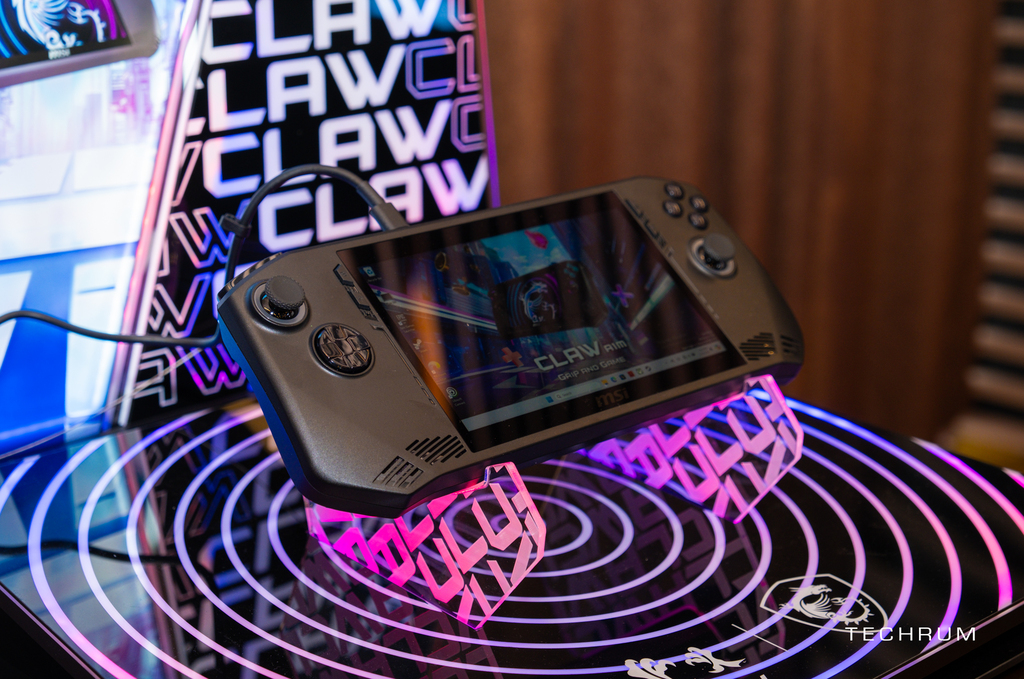
The handheld gaming PC market is becoming increasingly vibrant with the presence of big names, thanks to which this product segment (which was not popular before) is now becoming more accessible to common users. pine. For modern and active gamers, having fun with your favorite games is now easier than ever when you can explore the virtual world anywhere. As the world’s leading brand in gaming, of course, MSI cannot ignore this trend. The company continues to show its level of understanding with gamers when it launches a new handheld game console model – MSI Claw.
Meticulously designed through anthropometric studies, combined with the exclusive Cooler Boost HyperFlow heatsink, super large 53WHr battery, and 65W fast charger – this model promises to deliver hours of playtime—the most comfortable continuous game. Most importantly, MSI Claw is the first model on the market equipped with an Intel Core Ultra processor. The product is ready to reach global users.
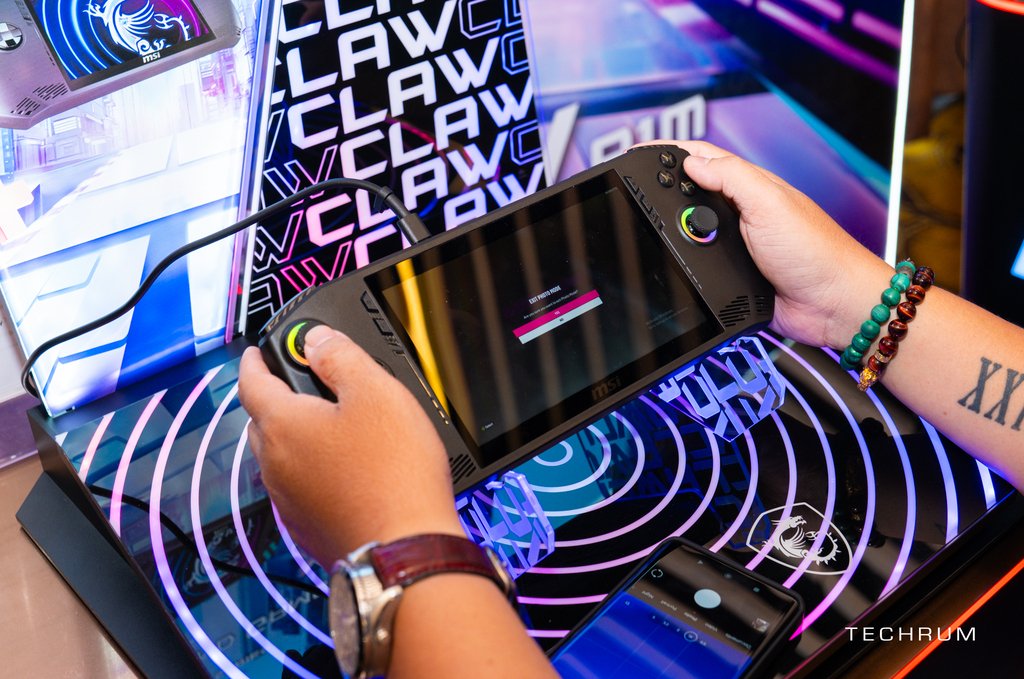
With a minimalist and practical design, the Claw still retains MSI’s unique identity, helping users easily identify among countless products on the market. In addition, the device’s design is also ergonomic, sticking close to the palm to provide a comfortable, convenient, and accurate grip for all palm sizes. The weight of the components is also properly distributed, allowing extremely comfortable use for long periods.
Additionally, the analog stick and ABXY button cluster both have RGB border lights surrounding them to create a game-like environment. The trigger button and analog stick are both Hall Effect types, allowing for a significantly longer lifespan by limiting physical contact during use.

MSI Claw is integrated with Cooler Boost HyperFlow cooling technology, using two fans and two heat pipes. This groundbreaking design helps direct airflow to cool all internal components, keeping the device cool so users can play games longer. The device is equipped with the latest generation Intel Core Ultra processor, along with XeSS technology to enhance the gaming experience, currently supported on more than 50 AAA games. Thanks to that, gamers will have a great experience on a portable handheld device.
MSI Claw also has MSI Center M software specifically designed for the most convenient use. This software provides many features for users to explore, including a simple game browsing interface, AI Engine & User scenario mode that allows performance customization, Macro button settings, and many more useful utilities. another.
The point that makes this device different is its battery life. MSI Claw is equipped with a 53WHr battery, allowing 2 hours of continuous operation. Good power efficiency combined with impressive performance helps gamers play longer, charging less.
Finally, it is impossible not to mention the App Player software. Thanks to it, MSI Claw has the richest game store among today’s handheld game consoles, being able to play both games designed for Windows and Android, meeting all users’ entertainment needs.
When purchasing the Claw, customers will receive a special gift set from MSI. This includes the game “Skull and Bones,” 7 days of Ubisoft+ and 1 month of Xbox Game Pass completely free. Thanks to that, after opening the newly purchased Claw, gamers can immediately enjoy top games such as Resident Evil 2, Assassin’s Creed, Call of Duty, etc.
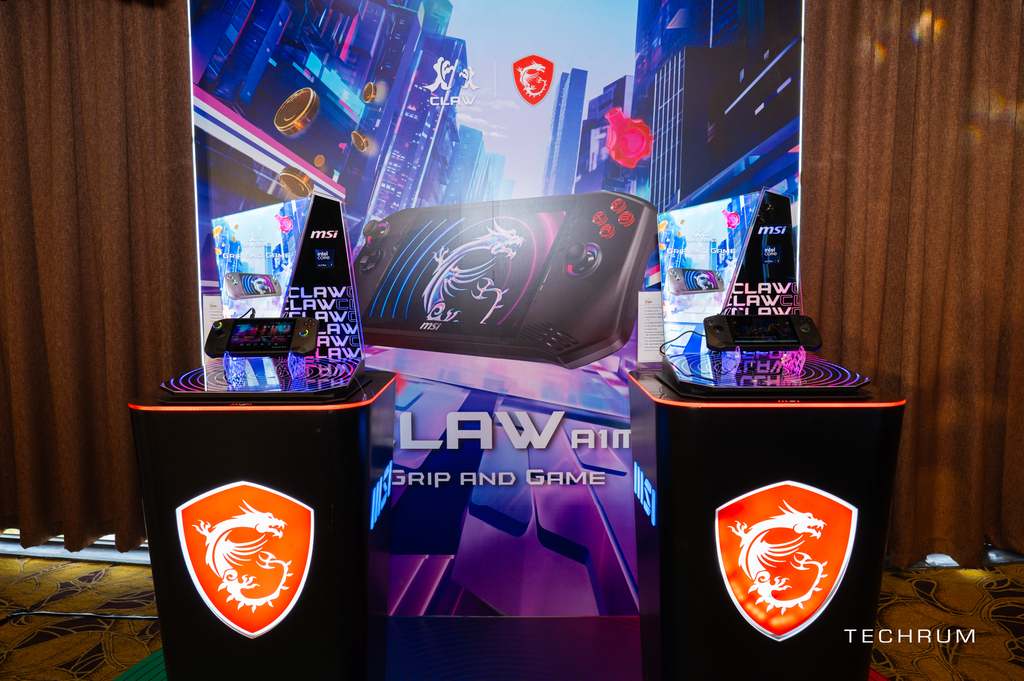
More detailed specifications can be found at MSI Claw A1M – Grip and Game.
GGS – Related Articles:
Responses to “MSI Claw: The game console is equipped with an Intel Core Ultra”
-
1win вывести на Optima через приложение http://www.1win17043.help
-
скачать melbet ios
Скачать приложение Melbet: APK, iPhone и компьютерПриложение Melbet включает букмекерскую контору и казино в одном интерфейсе. Доступны live-ставки, казино-игры, онлайн-трансляции, статистика и операции по счёту. Установка занимает несколько минут.
Android (APK)
Скачайте APK с официального сайта, откройте файл и завершите установку. При необходимости включите разрешение на установку из неизвестных источников, затем войдите в аккаунт.iOS (iPhone)
Перейдите в App Store, найдите «Melbet», нажмите «Получить», после установки авторизуйтесь в системе.ПК
Откройте официальный сайт, авторизуйтесь и создайте ярлык на рабочий стол. Веб-версия работает как отдельное приложение.Функционал
Live-ставки с обновлением коэффициентов, игровой раздел с тысячами игр, прямые трансляции, аналитические данные, уведомления о матчах, регистрация за минуту и поддержка 24/7.Бонусы
После установки доступны бонус на первый депозит, промокоды и бесплатные ставки. Условия зависят от региона.Безопасность
Загружайте только с официальных источников, контролируйте адрес сайта, не сообщайте данные доступа третьим лицам и включите 2FA.Загрузка выполняется быстро, после чего доступен весь функционал Melbet.
-
мостбет блэкджек мостбет блэкджек
-
Качественное восстановление посудомоек на дому в столице позволит вам быстро вернуть технику в рабочее состояние . Наши опытные мастера оперативно приедут по вашему адресу , с целью выявления точной причины поломки. В работе применяются сертифицированные комплектующие , что позволяет давать длительную гарантию на услуги. В случае если техника перестала нагревать воду не стоит пытаться чинить технику самостоятельно . У нас установлены лояльные тарифы , при этом ремонт чаще всего завершается за один визит . Позвоните нам для получения бесплатной консультации, чтобы ваша кухня снова функционировала в привычном режиме.
ремонт посудомоечных машин москва https://remont-posudomoechnyh-mashin-v-msk.ru/ -
mostbet Buxoro click https://mostbet28461.help/
-
rufus Rufus remains a lightweight, free, open-source utility designed to create bootable USB drives. It is used to prepare a USB flash drive that can set up an operating system, run diagnostic tools, or boot into a recovery environment. The program works without installation and can be run right after download.
The primary purpose of Rufus is helping users to create bootable USB media from ISO images quickly and reliably. This lets people install or run operating systems directly from a USB flash drive without the need for DVDs. The tool supports a wide range of operating systems and service utilities, which makes the program useful for both regular users and system administrators.
Rufus works on computers with Microsoft Windows, starting from Windows 7. Both 32-bit and 64-bit versions are supported, and there is also a version available for ARM64 architecture.
The software lets users create bootable USB drives from many different ISO images. It can be used to prepare a USB drive for installing Windows 11, Windows 10, Windows 8.1, or Windows 7, as well as various Linux distributions. Rufus also works with DOS systems and other recovery or maintenance tools commonly used for troubleshooting computers.
One of the included features of Rufus is the ability to download official Windows ISO images directly from Microsoft servers. This allows users to obtain original installation images for Windows 8.1, Windows 10, and Windows 11 without searching for them on third-party websites.
In addition to creating bootable drives, Rufus can format USB devices. It supports several file systems including FAT32, NTFS, exFAT, UDF, and ReFS. This flexibility allows the USB drive to be prepared for different use cases and compatibility requirements.
Rufus supports both legacy BIOS systems and modern UEFI environments. Because of this, bootable drives created with Rufus can work on older computers as well as newer systems that use UEFI and Secure Boot.
Another feature included in Rufus is Windows To Go support. This option allows users to run a full Windows environment directly from a USB drive. It can be useful for testing systems, performing maintenance, or working on multiple computers without installing Windows on the internal drive.
Rufus also provides the option to bypass certain Windows 11 installation requirements. When creating an installation USB, the program can disable checks for TPM 2.0, Secure Boot, and minimum RAM requirements. This makes it possible to install Windows 11 on computers that would otherwise not meet the official hardware requirements.
One of the reasons Rufus has become popular is its speed and simplicity. The program is extremely small, about 1.9 MB in size, and runs as a portable application without installation. It is distributed under the GPL v3 open-source license, supports more than 70 languages, and contains no advertisements, bundled software, or tracking components.
Rufus works with a large number of ISO images. These include multiple versions of Windows, Windows Server editions, FreeDOS, and various system tools such as GParted, Hiren’s Boot CD, Parted Magic, and Clonezilla. Because of this wide compatibility, the program can be used not only for installing operating systems but also for disk management, data recovery, and system maintenance tasks.
To use Rufus, a computer running Windows 7 or later and a USB flash drive are required. The program does not need to be installed. Users simply download the executable file, run it, select the ISO image they want to use, and create a bootable USB drive. Due to its simplicity, speed, and reliability, Rufus remains one of the most widely used tools for creating bootable USB drives.
-
заказать курсовую срочно заказать курсовую срочно .
-
заказать студенческую работу kupit-kursovuyu-82.ru .
-
1win комиссия mastercard 1win комиссия mastercard
-
FLY88 là nhà cái uy tín số 1 tại Việt Nam với kho trò chơi phong phú như slot nổ hũ, casino live, cá cược thể thao, bắn cá và xổ số mang đến nhiều lựa chọn giải trí cho người chơi mỗi ngày. Giao diện được thiết kế hiện đại, thao tác dễ dàng và tương thích tốt trên nhiều thiết bị giúp truy cập thuận tiện. Hệ thống thanh toán vận hành nhanh chóng, minh bạch với nhiều lớp bảo mật đồng thời thường xuyên triển khai thưởng tân thủ, hoàn trả định kỳ và các chương trình ưu đãi hấp dẫn. Đội ngũ CSKH trực tuyến 24/7 luôn sẵn sàng hỗ trợ giúp FLY 88 trở thành địa chỉ giải trí đáng tin cậy.
-
mostbet mobil tikish http://www.mostbet84629.help
-
накрутка подписчиков в Телеграм https://nakrutka-podpischikov-telegram-1.ru
-
мостбет KGS счет https://www.mostbet17403.help
-
скачать мелбет официальный сайт
Скачать приложение Melbet: Android, iOS и компьютерМобильная версия Melbet объединяет ставки и казино в едином приложении. Доступны live-ставки, казино-игры, прямые трансляции, аналитика и быстрые финансовые операции. Установка занимает 1–2 минуты.
Android (APK)
Загрузите APK с официального сайта, запустите установщик и завершите установку. При необходимости включите разрешение на установку из неизвестных источников, затем войдите в аккаунт.iOS (iPhone)
Перейдите в App Store, введите в поиске «Melbet», нажмите «Получить», после установки выполните вход.ПК
Перейдите официальный сайт, войдите в личный кабинет и создайте ярлык на рабочий стол. Веб-версия работает как полноценное приложение.Функционал
Live-ставки с обновлением коэффициентов, казино и слоты, просмотр матчей, подробная статистика, уведомления о матчах, быстрая регистрация и поддержка 24/7.Бонусы
После загрузки доступны бонус на первый депозит, промокоды и бесплатные ставки. Условия зависят от региона.Безопасность
Скачивайте только с официального сайта, контролируйте адрес сайта, не сообщайте данные доступа третьим лицам и активируйте двухфакторную аутентификацию.Загрузка выполняется быстро, после чего открывается полный доступ Melbet.




Leave a Comment